Self-Hosted AI Coding Assistants: GitHub Copilot Alternatives for 2026
Run your own AI coding assistant locally with open-source tools like Continue, Aider, and Tabby. Complete privacy, no subscription fees.
Table of Contents
- Why Self-Host Your AI Coding Assistant?
- Top Self-Hosted AI Coding Assistants Compared
- Continue.dev + Ollama: The Most Flexible Option
- Why Choose Continue.dev
- Setup Guide: Continue + Ollama
- Aider: Terminal-Based Power
- Key Features
- Quick Start
- Why You’ll Love Aider
- Tabby: True Self-Hosting
- Enterprise-Ready Features
- Docker Deployment
- Hardware Recommendations
- CodeGeeX: Free and Multilingual
- Strengths
- Installation
- Hardware Requirements
- Which Should You Choose?
- Getting Started Today
- Further Reading
GitHub Copilot revolutionized AI-assisted coding, but it comes with trade-offs: monthly subscription costs, code sent to the cloud, and dependence on Microsoft’s infrastructure. For homelab enthusiasts and privacy-conscious developers, self-hosted alternatives offer compelling benefits: complete code privacy, no recurring fees, and full control over the AI models you use.
In this guide, we’ll explore the best open-source AI coding assistants you can run on your own hardware in 2026.
Why Self-Host Your AI Coding Assistant?
Before diving into specific tools, let’s address the key motivations:
Privacy: Your code never leaves your machine. For proprietary projects, sensitive algorithms, or compliance requirements, this is non-negotiable.
Cost: After the initial hardware investment, there are no monthly fees. GitHub Copilot costs $10/month for individuals and $19/month for businesses—costs that add up over time.
Flexibility: Choose your own models. Whether you prefer CodeLlama, DeepSeek-Coder, or specialized models for your tech stack, you’re in control.
Offline Capability: Work from anywhere, even without internet access. Perfect for secure environments or remote locations.
Top Self-Hosted AI Coding Assistants Compared
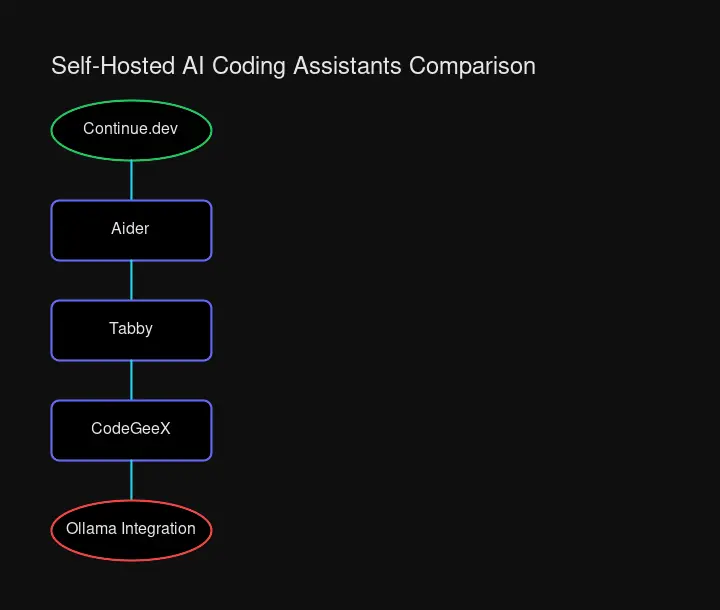
| Tool | Self-Hosted | Free | Local LLMs | IDE Support | Best For |
|---|---|---|---|---|---|
| Continue.dev | ✅ Yes | ✅ Yes | ✅ Ollama | VS Code, JetBrains | Flexible multi-model setups |
| Aider | ✅ Yes | ✅ Yes | ✅ Ollama, OpenAI-compatible | Terminal (all IDEs) | Terminal enthusiasts, Git workflows |
| Tabby | ✅ Yes | ✅ Yes | ✅ Built-in | VS Code, JetBrains | Enterprise, offline-first setups |
| CodeGeeX | Partially | ✅ Yes | ✅ Model available | VS Code, JetBrains | Free alternative |
Continue.dev + Ollama: The Most Flexible Option
Continue.dev is the most popular open-source AI coding assistant, with over 20,000 GitHub stars. It excels at flexibility—you can connect it to cloud APIs, local models, or a hybrid setup.
Why Choose Continue.dev
- Multi-model support: Switch between different models for different tasks
- Ollama integration: Seamless connection to local models
- VS Code and JetBrains support: Works in your preferred IDE
- Open-source core: Fully transparent, community-driven development
Setup Guide: Continue + Ollama
Step 1: Install Ollama
# Linux/macOS
curl -fsSL https://ollama.ai/install.sh | sh

# Pull a coding-focused model
ollama pull codellama:7b
ollama pull deepseek-coder:6.7b
Step 2: Install Continue Extension
In VS Code:
- Open Extensions (Ctrl+Shift+X)
- Search for “Continue”
- Click Install
Step 3: Configure Continue for Local Models
Create or edit ~/.continue/config.json:
{
  "models": [
    {
      "title": "CodeLlama (Local)",
      "provider": "ollama",
      "model": "codellama:7b"
    },
    {
      "title": "DeepSeek Coder (Local)",
      "provider": "ollama",
      "model": "deepseek-coder:6.7b"
    }
  ]
}
Step 4: Start Coding
Open the Continue sidebar (Ctrl+L), select your local model, and start chatting with your codebase. Use Ctrl+I for inline edits or let it auto-complete as you type.
Aider: Terminal-Based Power
Aider takes a different approach—it lives in your terminal and works directly with your Git repository. If you’re comfortable with CLI tools, Aider offers some unique advantages.

Key Features
- Git integration: Aider commits changes automatically with descriptive messages
- Codebase mapping: Understands your entire project structure
- 100+ languages: Support for virtually any programming language
- Voice-to-code: Dictate your code changes
- Works with any LLM: Claude, GPT, DeepSeek, or local models via Ollama
Quick Start
# Install Aider
pip install aider-chat

# Set up with Ollama (local)
export OLLAMA_API_BASE=http://localhost:11434
aider --model ollama:codellama:7b

# Or use DeepSeek (best value cloud option)
aider --model deepseek/deepseek-chat --api-key YOUR_KEY

# Start in your project
cd your-project
aider .
Why You’ll Love Aider
Aider excels at making multi-file changes. Tell it “refactor the authentication module to use JWT tokens” and it will:
- Analyze your existing auth code
- Identify all files that need changes
- Make coordinated edits across files
- Stage and commit the changes
Tabby: True Self-Hosting
Tabby is purpose-built for self-hosting. Unlike other tools that bridge to cloud APIs, Tabby runs a complete code completion server on your infrastructure.
Enterprise-Ready Features
- Multi-IDE support: VS Code, JetBrains, Vim/Neovim
- SSO integration: LDAP, OIDC, OAuth2
- Code indexing: Builds a knowledge base from your codebase
- GPU acceleration: CUDA and Metal support
- Docker deployment: Easy containerized setup
Docker Deployment
# Create Tabby data directory
mkdir -p ~/tabby-data

# Run Tabby server
docker run -it --gpus all \
  -v ~/tabby-data:/data \
  -p 8080:8080 \
  tabbyml/tabby serve --model TabbyML/CodeLlama-7B

# Install IDE extension and connect to http://localhost:8080
Hardware Recommendations
| Model | VRAM Required | Quality | Speed |
|---|---|---|---|
| CodeLlama-7B | 8 GB | Good | Fast |
| CodeLlama-13B | 16 GB | Better | Medium |
| DeepSeek-Coder-33B | 48 GB | Excellent | Slow |
For a homelab setup, an RTX 3060 (12GB) or RTX 4070 (12GB) provides a good balance of cost and capability.
CodeGeeX: Free and Multilingual
CodeGeeX, developed by Tsinghua University, offers a completely free AI coding assistant with support for over 20 programming languages.
Strengths
- Truly free: No API costs, no subscriptions
- Multilingual: Excellent for polyglot developers
- Code translation: Convert code between languages
- Lightweight: Runs on modest hardware
Installation
# VS Code
# Search "CodeGeeX" in the extension marketplace

# JetBrains
# Search "CodeGeeX" in Plugins marketplace
CodeGeeX is ideal for developers who want a zero-cost solution without the complexity of self-hosted model serving.
Hardware Requirements

Running capable coding models locally requires decent hardware. Here’s what you need:
Minimum (7B models)
- GPU: 8GB VRAM (RTX 3060, RTX 4060)
- RAM: 16GB system memory
- Storage: 20GB for models
Recommended (13B models)
- GPU: 16GB VRAM (RTX 4080, used RTX 3090)
- RAM: 32GB system memory
- Storage: 50GB for models
High-end (33B+ models)
- GPU: 48GB VRAM (RTX 4090, A6000)
- RAM: 64GB+ system memory
- Storage: 100GB+ for models
For homelab setups, consider using an older enterprise GPU like the RTX A4000 or A5000—excellent VRAM at reasonable prices.
Which Should You Choose?
Choose Continue.dev + Ollama if: You want maximum flexibility, prefer working in VS Code, and don’t mind some configuration. Best for tinkerers.
Choose Aider if: You live in the terminal, want Git integration, and prefer a CLI workflow. Best for power users.
Choose Tabby if: You need enterprise features, want a true self-hosted server, or manage a team. Best for organizations.
Choose CodeGeeX if: You want a free, simple solution with minimal setup. Best for beginners.
Getting Started Today
The barrier to self-hosted AI coding has never been lower. With tools like Ollama simplifying model management and extensions like Continue making IDE integration seamless, you can have a local AI assistant running in under 30 minutes.
Start with Continue.dev and Ollama—download Ollama, pull CodeLlama, install the extension, and configure the connection. You’ll have autocomplete, code explanation, and refactoring suggestions—all running on your own hardware, with zero code leaving your machine.
For homelab enthusiasts, this is the ultimate self-hosted project: practical, privacy-preserving, and genuinely useful for your daily work.
Further Reading


Comments
Powered by GitHub Discussions