Video Generation with Seedance 2.0 and ComfyUI
Learn how to use ByteDance's Seedance 2.0 video generator with ComfyUI for AI-powered video creation with multimodal inputs and synchronized audio.
Table of Contents
- What is Seedance 2.0?
- The @ Reference System
- Integration with ComfyUI
- Installation
- Credential Setup
- Workflow Guide
- Basic Text-to-Video
- Multimodal Workflow
- Cost Management
- Prompt Engineering Tips
- Structure Formula
- Example Prompts
- Prompt Length Guidelines
- Multi-Shot Techniques
- Comparison: Seedance 2.0 vs LTX-2 vs Wan 2.2
- When to Use Each
- Troubleshooting
- Best Practices
- Iteration Workflow
- Camera Control
- Audio Sync
- Conclusion
- Resources
Video Generation with Seedance 2.0 and ComfyUI
AI video generation has evolved rapidly, and Seedance 2.0 from ByteDance represents a significant leap forward. Unlike traditional text-to-video models, Seedance 2.0 introduces a unique @ reference system that lets you combine images, video, and audio as inputs—creating videos with unprecedented consistency and control.
In this guide, we’ll explore how to integrate Seedance 2.0 with ComfyUI, covering installation, workflow setup, prompt engineering, and how it compares to alternatives like LTX-2 and Wan 2.2.
What is Seedance 2.0?
Seedance 2.0 is ByteDance’s multimodal AI video generator. It’s API-only (no local model weights) and excels at:
- Native 2K resolution output (up to 2048p)
- 4-15 second video clips with smooth motion
- Synchronized audio-video generation with lip-sync in 50+ languages
- @-tag reference system for combining images, video, and audio inputs
- Character consistency across multiple shots
The @ Reference System
The standout feature is the reference system. Instead of relying solely on text prompts, you can use:
@Image reference_photo.jpg
@Video style_clip.mp4
@Audio background_music.mp3
This allows for:
- Style transfer from reference videos
- Character consistency from uploaded images
- Audio-reactive video generation
- Multi-shot sequences with the same subjects
Integration with ComfyUI
Seedance 2.0 connects to ComfyUI via the Sjinn.ai API wrapper node. This requires a Sjinn.ai Pro+ subscription (100 credits per second of video).
Installation
Method 1: ComfyUI Manager (Recommended)
- Open ComfyUI Manager
- Search for “Seedance 2”
- Install
Cameraptor/seedance_2_Comfy_UI_Node-sjinn_Api- - Restart ComfyUI
Method 2: Manual Installation
cd ComfyUI/custom_nodes
git clone https://github.com/Cameraptor/seedance_2_Comfy_UI_Node-sjinn_Api-
Credential Setup
You need two credentials from Sjinn.ai:
- API Key — For authentication
- Session Token — For account-specific features
In ComfyUI, add these to your environment variables or settings:
SJINN_API_KEY=your_api_key_here
SJINN_SESSION_TOKEN=your_session_token_here
Note: The session token is separate from the API key and required for Pro+ features.
Workflow Guide
Basic Text-to-Video
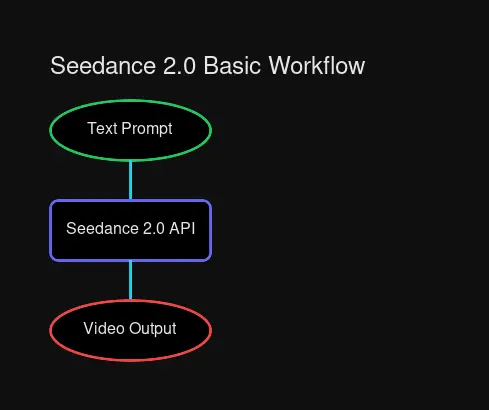 Basic workflow: Prompt → Seedance 2.0 → Video Output
- Add the Seedance 2.0 Node to your workflow
- Connect a Text Input node with your prompt
- Set resolution (default: 1080p)
- Set duration (4-15 seconds)
- Execute and wait for API response
Multimodal Workflow
For more control, use the @ reference system:
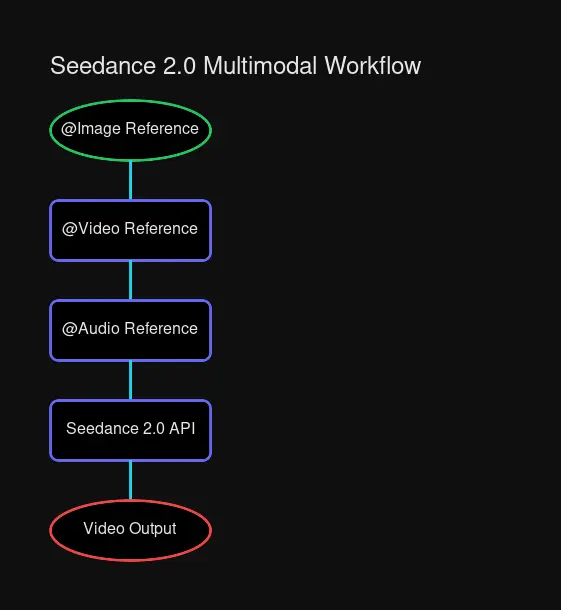 Multimodal workflow with @Image, @Video, and @Audio references
@Image portrait.jpg
@Video cinematic_motion.mp4
@Audio ambient_drone.wav

A woman walking through a foggy forest at golden hour,
camera slowly pushing in, atmospheric and dreamlike
Cost Management
Seedance 2.0 uses a credit system:
| Duration | Credits |
|---|---|
| 4 seconds | 400 credits |
| 8 seconds | 800 credits |
| 15 seconds | 1500 credits |
Tips to conserve credits:
- Use shorter clips for testing
- Generate at lower resolutions during iteration
- Finalize prompts before generating long clips
Prompt Engineering Tips
Seedance 2.0 responds well to structured prompts. Here’s a recommended format:
Structure Formula
[SUBJECT] doing [ACTION] in [ENVIRONMENT],
[CAMERA movement], [LIGHTING/atmosphere], [STYLE]
Example Prompts
Portrait Video:
@Image professional_headshot.jpg

A business executive walking through a modern glass office building,
slow dolly in following the subject, bright natural lighting through floor-to-ceiling windows,
corporate documentary style, 4K quality
Cinematic Scene:
@Video blade_runner_reference.mp4

A cyberpunk city street at night with neon signs reflecting on wet pavement,
steady handheld tracking shot, moody rain-soaked atmosphere,
cinematic sci-fi aesthetic with volumetric fog
Audio-Reactive Music Video:
@Audio electronic_track.wav

Abstract geometric shapes morphing and pulsing to the rhythm of the music,
camera orbiting the central form, neon color palette with black background,
psychedelic visualizer aesthetic
Prompt Length Guidelines
- Optimal: 150-300 characters — Enough detail without overwhelming
- Maximum: 500 characters — Longer prompts get truncated
- Minimum: 50 characters — Too short lacks control
Multi-Shot Techniques
For multiple shots with consistent subjects:
- Upload a reference image with
@Image - Use the same reference across all prompts
- Describe camera movements explicitly: “slow zoom”, “tracking shot”, “static wide shot”
Comparison: Seedance 2.0 vs LTX-2 vs Wan 2.2
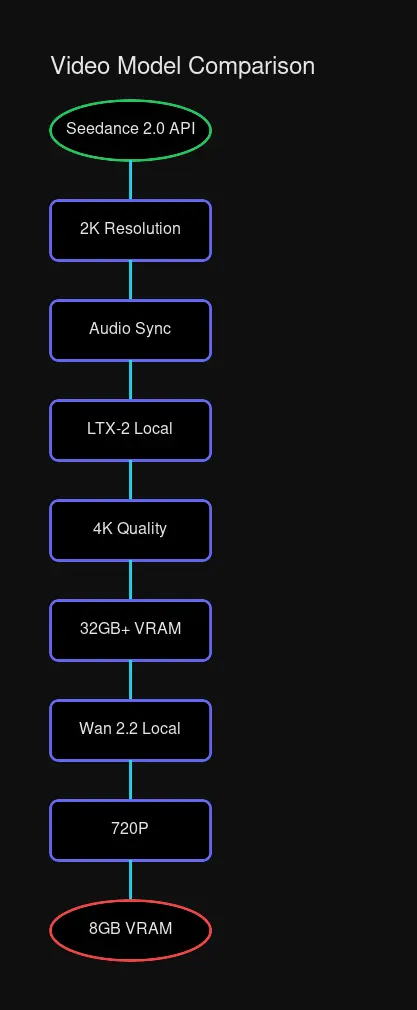
| Feature | Seedance 2.0 | LTX-2 | Wan 2.2 |
|---|---|---|---|
| Access | API only | Local | Local |
| Resolution | Up to 2K | Up to 4K | 480-720P |
| VRAM Required | None | 32GB+ | 8GB+ |
| Audio | Native sync | Native sync | None |
| Reference System | @ tags | Image refs | Limited |
| Cost | Pay/second | Free | Free |
| Best For | Consistency | Quality | Consumer GPU |
When to Use Each
Use Seedance 2.0 when:
- You need character consistency across shots
- Audio sync is critical (music videos, dialogue)
- You don’t have high-end GPU hardware
- You want to reference existing videos for style
Use LTX-2 when:
- Maximum quality (4K) is priority
- You have a 32GB+ VRAM GPU
- You want full local control
- You need longer videos (up to 60s)
Use Wan 2.2 when:
- You’re on consumer hardware (8GB+ VRAM)
- Quick experiments without API costs
- Lower resolution is acceptable
- You want local inference
Troubleshooting
| Issue | Solution |
|---|---|
| Authentication failed | Verify both API key AND session token |
| Video quality poor | Check resolution setting, use @Video reference |
| Credits not deducting | Session token may be invalid |
| Slow generation | API response time varies (30-60s typical) |
| Motion artifacts | Reference higher quality source videos |
Best Practices
Iteration Workflow
- Start with a text-only prompt to validate concept
- Add @Image references for subject consistency
- Add @Video references for style/motion
- Add @Audio for synchronization
- Generate final at maximum resolution
Camera Control
Be explicit about camera behavior:
- Static: “locked off camera, wide shot”
- Motion: “slow dolly in”, “handheld tracking”, “orbit around subject”
- Style: “tripod mounted”, “gimbal stabilized”, “drone flyover”
Audio Sync
For lip-sync or music videos:
- Generate video first, then add audio
- Or provide audio upfront for sync generation
- 50+ languages supported for lip-sync
Conclusion
Seedance 2.0 brings something unique to AI video generation: controlled consistency through multimodal references. While it requires a subscription and API access, the ability to combine images, videos, and audio as inputs makes it powerful for productions requiring multiple shots with consistent subjects.
For local alternatives, LTX-2 offers higher resolution output, and Wan 2.2 works great on consumer hardware. The right tool depends on your project needs and hardware availability.
Resources

Comments
Powered by GitHub Discussions