OpenClaw Context Optimization
Master the art of context management in AI assistants. Learn how OpenClaw handles token budgets, memory systems, and the sophisticated True-Recall architecture that keeps your assistant sharp across sessions.

Table of Contents
- What Counts Toward Context?
- OpenClaw’s Context Architecture
- System Prompt Sections
- Prompt Modes
- Techniques for Token Reduction
- 1. Bootstrap File Truncation
- 2. Compaction: Summarize and Persist
- 3. Session Pruning
- 4. Prompt Caching
- The True-Recall Memory System
- How It Works
- The Configuration
- Tiered Memory: The Full Picture
- Best Practices for Users
- 1. Write to Disk, Not to RAM
- 2. Keep MEMORY.md Curated
- 3. Use Heartbeats for Maintenance
- 4. Audit Regularly
- 5. Respect Group Privacy
- Practical Checklist
- Daily
- Weekly
- Configuration Tuning
- The Bottom Line
The context window is the hidden battleground of every AI conversation.
You ask a question. The model responds. Simple, right? But behind that exchange lies a complex dance of token budgets, memory persistence, and architectural trade-offs. Every message you send, every tool the assistant calls, every file it reads—all of it consumes a finite resource: the context window.
Let’s explore how OpenClaw tackles this challenge, from basic token hygiene to sophisticated memory architectures that give your assistant true recall.
What Counts Toward Context?
Everything. Literally everything sent to the model:
- System prompt — Rules, tool definitions, skills list, time/runtime info
- Conversation history — Every user message and assistant reply
- Tool calls and results — Command output, file contents, API responses
- Attachments — Images, documents, audio files
- Compaction summaries — Condensed history entries
- Provider metadata — Hidden wrappers you never see but still pay for
Modern models like Claude offer 200K token windows. Sounds generous until you realize:
- A single file read of a 500-line codebase can consume 5,000+ tokens
- Long-running sessions accumulate hundreds of thousands of tokens in history alone
- Each image attachment might cost 1,000+ tokens
The challenge isn’t running out of space—it’s managing what enters that space intelligently.
OpenClaw’s Context Architecture
OpenClaw builds a custom system prompt for every agent run. Understanding what’s inside helps you optimize.
System Prompt Sections
| Section | What It Contains | Token Impact |
|---|---|---|
| Tooling | Available tools + descriptions | High (varies by policy) |
| Safety | Guardrail reminders | Low |
| Skills | Compact list with paths | Medium |
| Workspace | Working directory location | Low |
| Workspace Files | Injected bootstrap files | Variable |
| Current Date/Time | User-local timezone | Low |
| Runtime | Host, OS, model info | Low |
Prompt Modes
OpenClaw uses different prompt sizes for different scenarios:
┌─────────────────────────────────────────────────┐
│  Mode         │  Use Case        │  Sections    │
├─────────────────────────────────────────────────┤
│  full         │  Main agent      │  All         │
│  minimal      │  Sub-agents      │  Core only   │
│  none         │  Special cases   │  Identity    │
└─────────────────────────────────────────────────┘
This is lazy loading in action. Sub-agents get a minimal prompt because they don’t need heartbeat management, memory recall, or self-update capabilities. The main agent shoulders that overhead so spawned workers can stay focused.
:::tip[Key Insight]
Skills are listed in the prompt but their instructions aren’t loaded. When a task matches a skill, the model reads the SKILL.md file on-demand. This saves ~400-500 tokens per skill versus including everything upfront.
:::
Techniques for Token Reduction
1. Bootstrap File Truncation
OpenClaw injects workspace files every turn:
AGENTS.md   → Behavior rules
SOUL.md     → Agent persona
TOOLS.md    → Tool notes
USER.md     → Human context
MEMORY.md   → Long-term memories
These files have caps:
// Default configuration
agents.defaults.bootstrapMaxChars: 20000       // Per-file
agents.defaults.bootstrapTotalMaxChars: 150000 // Total
Large files get truncated with visible markers:
[truncated: output exceeded context limit]Best practice: Keep bootstrap files concise. MEMORY.md is injected every turn—it should be curated wisdom, not raw dumps.
2. Compaction: Summarize and Persist
When history grows too large, OpenClaw summarizes older turns into a compact entry:
[compacted: Previous discussion about React component architecture.
Key decisions: Use Server Components, implement error boundaries
at route level, defer data fetching to Suspense boundaries.]
Crucially, compaction persists. The summary is written to the session’s JSONL history file. Future sessions can still reference it.
:::warning[Compaction ≠ Pruning]
- Compaction rewrites history files with summaries
- Pruning temporarily trims tool results per request (doesn’t persist) :::
3. Session Pruning
Pruning targets old tool results without touching conversation history:
agents.defaults.contextPruning: {
  mode: "cache-ttl",
  ttl: "5m",
  keepLastAssistants: 3,
  softTrimRatio: 0.3,    // Trim 30% when soft threshold hit
  hardClearRatio: 0.5,   // Clear 50% when hard threshold hit
  minPrunableToolChars: 50000
}
What gets trimmed:
- Only
toolResultmessages with large outputs - User and assistant messages are never modified
- Tool results with images are preserved
4. Prompt Caching
Caching reduces costs when prompts repeat:
agents.defaults.models: {
  "anthropic/claude-opus-4-6": {
    params: {
      cacheRetention: "short"  // 5 minutes
    }
  }
}| Retention | TTL | Use Case |
|---|---|---|
none | Disabled | Bursty/notification agents |
short | 5 minutes | Cost-first baseline |
long | 1 hour | Always-on sessions |
Pair caching with heartbeat intervals that keep the cache warm:
agents.defaults.heartbeat: {
  every: "55m"  // Trigger before cache expires
}
The True-Recall Memory System
This is where it gets interesting.
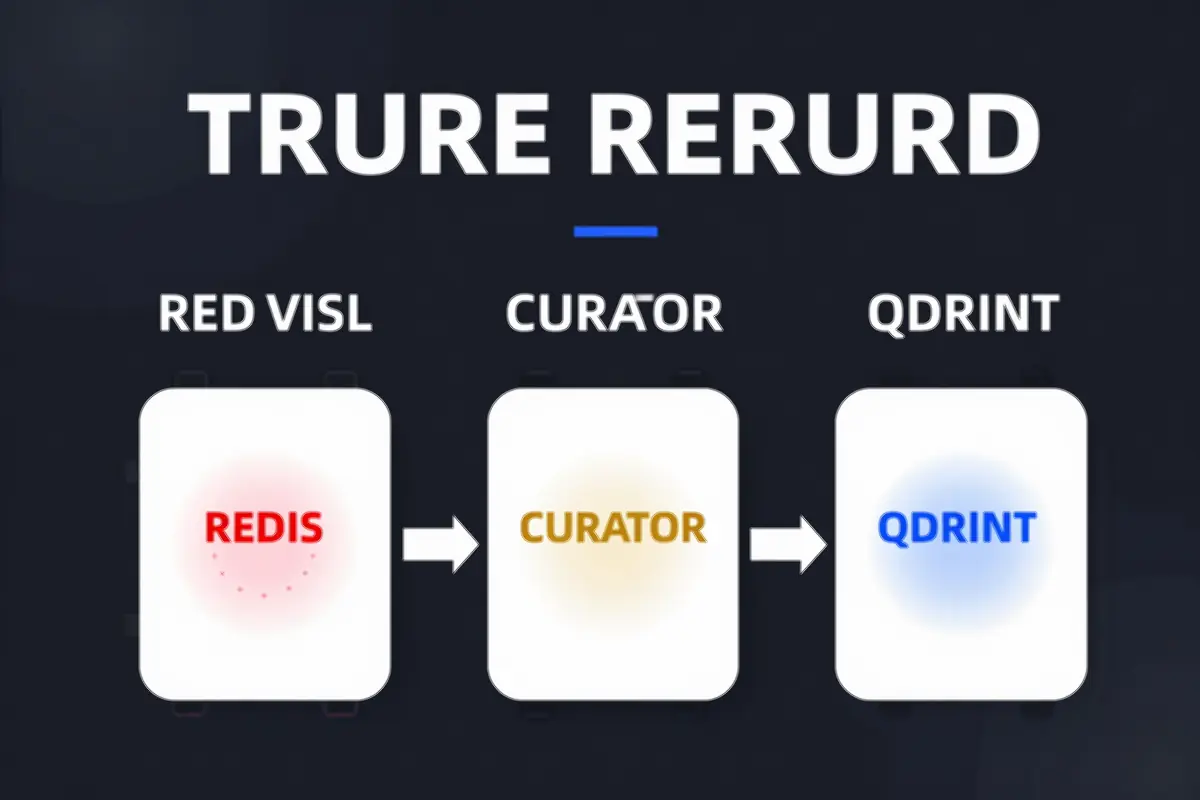
Traditional AI memory is brittle—everything lives in the context window, and once it scrolls off, it’s gone. True-Recall solves this with a three-tier architecture:
┌─────────────────┐     ┌─────────────────┐     ┌─────────────────┐
│   Redis Buffer  │────▶│  LLM Curator    │────▶│ Qdrant Vectors  │
│  (24hr TTL)     │     │  (Gems Extract) │     │ (Long-term)     │
└─────────────────┘     └─────────────────┘     └─────────────────┘
How It Works
Tier 1: Redis Buffer
Every conversation turn is captured to Redis with a 24-hour TTL:
Key: mem:{user_id}
Value: [{ role: "user", content: "..." }, ...]
TTL: 86400 seconds
This gives you a rolling window of recent context—immediately available, automatically expiring.
Tier 2: LLM Curation
A daily job (3:30 AM default) processes the Redis buffer through an LLM. But instead of storing everything, it extracts “memory gems”—the actually memorable stuff:
# What counts as a gem?
- Decisions made: "Chose React over Vue for the dashboard"
- Preferences discovered: "Prefers concise summaries over detailed explanations"
- Facts worth remembering: "Birthday is March 15th"
- Projects context: "Currently building a memory system combining Qdrant + Redis"
Only gems with 0.6+ confidence score get persisted. A hundred turns of casual chat might yield 2-3 gems.
Tier 3: Qdrant Vector Storage
Gems are embedded (using mxbai-embed-large, 1024 dimensions) and stored in Qdrant:
collectionName: "true_recall"
embeddingModel: "mxbai-embed-large"
vectorSize: 1024
On next session start, relevant memories are retrieved via semantic search and injected into context.
The Configuration
plugins: {
  entries: {
    memory-qdrant: {
      config: {
        autoRecall: true,       // Auto-inject relevant memories
        collectionName: "true_recall",
        embeddingModel: "mxbai-embed-large",
        maxRecallResults: 2,    // Limit injection size
        minRecallScore: 0.7     // Similarity threshold
      }
    }
  }
}
:::tip[Why This Matters] The LLM curator is the secret sauce. Most memory systems store everything verbatim—which means they store noise. True-Recall filters for signal. The memories that persist are the ones worth persisting. :::
Tiered Memory: The Full Picture
OpenClaw’s memory architecture has four tiers, each with different properties:
Session Context  ←────────────────────────────────────┐
(Volatile, in-window)                                  │
                                                       │
         ┌─────────────────────────────────────────────┘
         ▼
Daily Files (memory/YYYY-MM-DD.md)
(On-demand, not injected)
         │
         ▼
MEMORY.md
(Long-term, injected every turn)
         │
         ▼
Qdrant/Redis
(Semantic search, on-demand recall)| Tier | Persistence | Token Cost | Access Pattern |
|---|---|---|---|
| Session | Lost on close | High (in window) | Immediate |
| Daily Files | Persisted | None (on-demand) | Explicit read |
| MEMORY.md | Persisted | Medium (injected) | Always visible |
| Vector DB | Persisted | Low (queried) | Semantic search |
Best Practices for Users
1. Write to Disk, Not to RAM
When someone says “remember this”—write it to a file. Mental notes don’t survive session restarts.
Decisions → MEMORY.md
Daily notes → memory/YYYY-MM-DD.md
Lessons learned → AGENTS.md
2. Keep MEMORY.md Curated
MEMORY.md is injected every turn. Every character costs tokens. Treat it like a well-edited journal, not a raw dump:
# Good: Curated and actionable
## Decisions
- 2026-02-22: Chose mxbai-embed-large for embeddings

## Preferences
- Prefers concise responses
- Uses Telegram for primary communication

# Bad: Raw conversation dump
[5000 words of chat logs...]
3. Use Heartbeats for Maintenance
Heartbeats run periodically without user interaction. Use them for cleanup:
# HEARTBEAT.md
- Check for stale memory files (> 7 days)
- Review recent daily notes for distillation
- Clean up old session files
Configure interval based on usage:
agents.defaults.heartbeat: {
  every: "30m"  // 2-4 times per day
}
4. Audit Regularly
# Check context size
/context list

# Deep breakdown
/context detail

# Manual cleanup
/compact Focus on decisions and open questions
5. Respect Group Privacy
In group contexts, MEMORY.md is never injected. Your assistant remembers what’s shared in that group—nothing more. This is by design.
Practical Checklist
Daily
- Check
/context listif the session feels slow - Write important decisions to
MEMORY.md - Log activity to
memory/YYYY-MM-DD.md
Weekly
- Audit
MEMORY.mdsize (keep under 10KB) - Clean up old daily files
- Remove unused skills
- Review tool schema sizes with
/context detail
Configuration Tuning
- Set
cacheRetentionbased on usage pattern - Enable
contextPruningfor long sessions - Configure heartbeat intervals for cache warmth
- Tune memory injection thresholds
The Bottom Line
Context optimization isn’t about cramming more into the window—it’s about being intentional about what enters.
OpenClaw’s approach combines:
- Lazy loading — Skills load on-demand, not upfront
- Tiered memory — Different persistence levels for different needs
- Smart compaction — Summarize and persist, don’t just truncate
- Curation — LLM-powered filtering separates signal from noise
The result: An assistant that remembers what matters, forgets what doesn’t, and stays sharp across months of conversation.
:::tip[Final Thought] Context is the scarcest resource in AI interactions. Every token you save is a token available for what actually matters. Optimize accordingly. :::

Comments
Powered by GitHub Discussions