Generating Cinematic Video with LTX-2.3
Master LTX-2.3's cinematic capabilities with advanced prompting techniques, multi-subject composition, and production workflows for professional video generation.
Table of Contents
- What’s New in LTX-2.3
- Architectural Upgrades
- Generation Flows
- Native Portrait Video
- Enhanced Multi-Subject Scenes
- New Upscaling Models
- The 9 Cinematic Prompting Rules (LTX-2.3 Deep Dive)
- 1. Single Continuous Paragraph
- 2. Present-Tense Action Verbs
- 3. Explicit Camera Behavior
- 4. Precise Physical Details
- 5. Atmospheric Environment
- 6. Smooth Temporal Flow
- 7. Genre-Specific Language
- 8. Character Specificity
- 9. Show, Don’t Tell Emotion
- Multi-Subject Scene Strategies
- The Handoff Technique
- Spatial Anchoring
- Dialogue Timing
- Long-Shot Strategy (15-20 Seconds)
- Scene Architecture
- Example (18-second shot)
- Two-Stage Upscaling Pipeline
- Stage 1: Generate Low-Res
- Stage 2: Spatial Upscale
- Stage 3: Temporal Upscale (Optional)
- Performance Benchmarks
- Enhanced I2V (Image-to-Video)
- Better Motion Interpretation
- Progressive Prompt Building
- First Frame Consideration
- What Works vs What to Avoid
- Works Well
- Known Issues
- Production Workflow
- Recommended Pipeline
- Multi-Clip Production
- Summary
- Resources
Generating Cinematic Video with LTX-2.3
LTX-2.3 represents a significant evolution in AI video generation. While LTX-2 introduced synchronized audio-video generation, LTX-2.3 brings architectural enhancements specifically designed for cinematic output: a 4x larger text connector for better prompt comprehension, native portrait video support, and improved multi-subject scene handling.
This guide focuses on cinematic techniques specific to LTX-2.3. For setup instructions, see our LTX-2 ComfyUI guide.
What’s New in LTX-2.3
Architectural Upgrades
| Component | LTX-2 | LTX-2.3 |
|---|---|---|
| Total Parameters | 19B | 22B (dev) |
| Text Connector | Standard | 4x larger gated attention |
| Training Data | Landscape-focused | Native portrait included |
| Max Duration | 10s | 20s |
| Audio Quality | Standard | Filtered training + new vocoder |
The enlarged text connector is the key cinematic upgrade. It processes prompt information through deep attention layers with a gated mechanism that improves:
- Complex spatial relationships between multiple subjects
- Temporal event sequencing (“at the 3-second mark”)
- Character positioning relative to camera and scene elements
Generation Flows
LTX-2.3 introduces two distinct generation flows:
Fast Flow — Optimized for speed:
- Distilled model with 3-4x faster generation
- Best for iterative testing and rapid prototyping
- 10s at 1344x768: ~57 seconds on RTX 4090
Pro Flow — Optimized for quality:
- Full 22B parameter model
- Better prompt adherence and detail
- 5s at 1344x768: ~115 seconds on RTX 4090
Native Portrait Video
LTX-2.3 is the first model trained natively on 9:16 portrait video. Previous models cropped landscape content, losing quality at edges. LTX-2.3 generates:
- 1080x1920 native resolution
- Properly composed vertical framing
- Vertical-appropriate camera movements (tilt vs pan)
 LTX-2.3’s native portrait support enables proper 9:16 composition
Enhanced Multi-Subject Scenes
The larger text connector enables accurate multi-subject composition. Key improvements:
- Spatial anchoring — “A man on the left, woman on the right” maintains positions
- Action handoffs — Characters can interact: “He hands her the cup”
- Dialogue timing — Better understanding of “then she replies”
New Upscaling Models
LTX-2.3 includes dedicated upscalers:
- Spatial Upscaler — Increase resolution post-generation
- Temporal Upscaler — Add frames for smoother motion
These enable a two-stage production pipeline: generate low-res, upscale to 4K.
The 9 Cinematic Prompting Rules (LTX-2.3 Deep Dive)
LTX-2.3’s larger text connector allows for longer, more detailed prompts without degrading output quality. Use this to your advantage.
1. Single Continuous Paragraph
Write prompts as one flowing narrative. LTX-2.3’s gated attention processes the entire prompt holistically.
A lone fisherman rows across a foggy lake before sunrise, the boat creaking
softly as water laps at its sides. The camera glides overhead in a slow
tracking shot, following his progress through the mist. His lantern casts
a warm circle of light on the water while distant reeds sway on the shore.
2. Present-Tense Action Verbs
Always use present tense: “walks”, “tilts”, “flickers” — not “walked” or “is walking”.
A young boy runs barefoot across a wet stone courtyard as raindrops begin
to fall. The camera tracks behind him at low angle, catching splashes beneath
his feet. He turns sharply, arms outstretched for balance.
3. Explicit Camera Behavior
LTX-2.3’s text connector excels at camera instructions. Define perspective, angle, movement, and speed precisely.
The camera begins in a wide shot from across the street, then slowly pushes
forward at shoulder height as pedestrians blur in the foreground. A passing
bicycle crosses the frame before the shot settles into a medium close-up.
4. Precise Physical Details
Small, measurable movements create believable motion.
Her eyebrows lift slightly as she hears a creak behind her, and the knife
pauses mid-air. The camera holds in medium close-up with shallow depth of
field, capturing the tension in her wrist and the gleam of metal.
5. Atmospheric Environment
Include lighting, air quality, textures, and ambient elements.
Pale blue light from an overcast sky diffuses across the scene, softening
the edges of distant waves. A cool breeze ripples through her hair while
seagulls call overhead and fog begins to roll in from the horizon.
6. Smooth Temporal Flow
Use connectors: “as”, “then”, “while”, “when”.
As the camera begins in a stationary wide shot, a figure steps forward
through the haze. Then the camera glides sideways, following its stride
while it moves toward a glowing console on the far side of the room.
7. Genre-Specific Language
Match vocabulary to your intended aesthetic.
A maintenance drone glides through a long tunnel inside a deep space cargo
vessel, its circular frame rotating slowly as it shines beams of light on
the walls. Soft mechanical hums blend with the distant low thrum of the
ship's reactor core.
8. Character Specificity
Only include observable details:
A middle-aged South Asian man in a long tan coat steps into a narrow alley
lit by neon signage. Rain hits the cobblestones as the camera tilts up from
his shoes, revealing his profile in close-up against the glowing signs.
9. Show, Don’t Tell Emotion
Never describe feelings. Describe body language.
| Don’t Write | Do Write |
|---|---|
| ”He is nervous" | "His fingers tighten on the railing, breathing slows as he steadies himself" |
| "She is sad" | "A single tear trails down her cheek. Her shoulders drop" |
| "He is confident" | "Back straight, gestures controlled and deliberate” |
Multi-Subject Scene Strategies
LTX-2.3’s enhanced text connector enables complex multi-character scenes previously impossible.
The Handoff Technique
For scenes with multiple characters, describe actions sequentially:
A woman in a red dress stands by the window. A man enters from the left,
crosses to her, and hands her a cup. She takes it, then turns to face
the camera as he exits frame right.
Spatial Anchoring
Position subjects explicitly:
On the left side of the frame, a young girl draws on a notepad. On the
right, her mother watches from a doorway. The camera slowly pulls back
to reveal both in a medium two-shot.
Dialogue Timing
LTX-2.3 understands temporal markers:
The reporter looks into the camera and speaks with an energetic voice:
"Thank you, Sylvia." A beat passes. Then: "This morning, here in New Castle,
Vermont—black gold has been found!" Ambient construction sounds fill
the background throughout.
Long-Shot Strategy (15-20 Seconds)
LTX-2.3’s 20-second maximum enables true long-take shots. Structure these as mini-scenes:
Scene Architecture
**Scene Heading:** Location and time
**Brief Description:** Overall atmosphere
**Blocking:** Sequence of actions + camera movements
**Dialogue/Cues:** Performance notes
Example (18-second shot)
Scene: A pilot's cockpit at sunset, orange light flooding through the canopy.
Blocking: Start macro on gloved hand gripping the flight stick. Slowly pull
back to medium shot revealing helmet reflection on the instrument panel.
Camera continues pulling back through the cockpit glass into a wide exterior
shot showing the aircraft banking over clouds.
Cues: Metallic creaks, radio static, wind noise increasing as we move outside.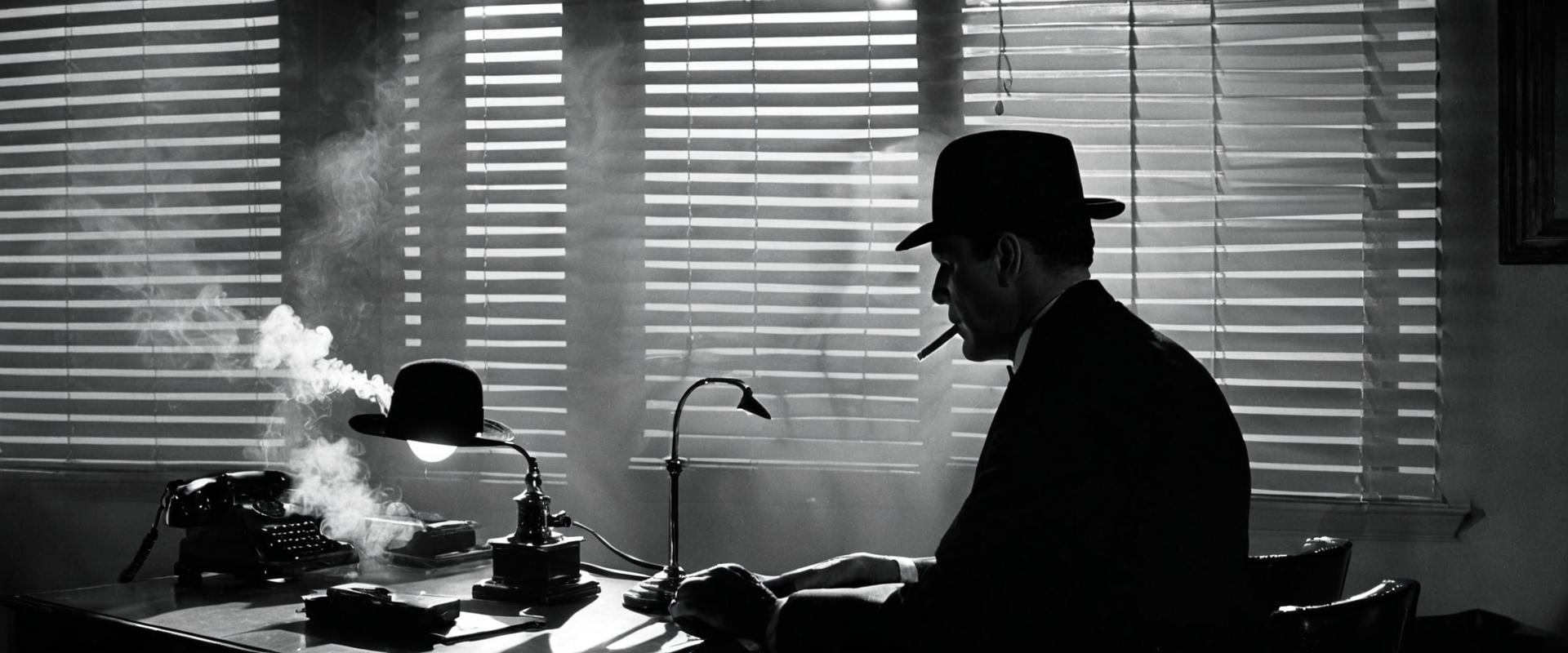 Cinematic lighting and atmosphere—the noir aesthetic demonstrates LTX-2.3’s ability to handle high-contrast scenes
Two-Stage Upscaling Pipeline
For production quality at 4K:
Stage 1: Generate Low-Res
Generate at 1344x768 or 1024x576 for speed:
Resolution: 1344x768
Frames: 121 (5s at 24fps)
Flow: Fast (for testing) or Pro (for final)
Stage 2: Spatial Upscale
Apply LTX-2.3’s spatial upscaler:
Input: Stage 1 output
Target: 2688x1536 or higher
Method: LTXVSpatialUpscaler
Stage 3: Temporal Upscale (Optional)
Add intermediate frames for smoother motion:
Input: Upscaled video
Target frames: 241 (10s at 24fps)
Method: LTXVTemporalUpscaler
Performance Benchmarks
| Resolution | Frames | Time (RTX 4090) |
|---|---|---|
| 1344x768 | 121 | ~57s (Fast), ~115s (Pro) |
| 1536x896 | 121 | ~85s (Fast), ~180s (Pro) |
| With upscale | 121 | +45s spatial, +30s temporal |
Enhanced I2V (Image-to-Video)
LTX-2.3’s Image-to-Video sees significant improvements:
Better Motion Interpretation
The model now understands complex motion requests:
Input: Photo of a chef in a kitchen
Prompt: The chef begins chopping vegetables with practiced precision.
Steam rises from the pot behind him. Camera slowly pushes in to
medium close-up on his hands and knife.
Progressive Prompt Building
Start simple, add complexity:
- Base: “The subject turns to face the camera”
- Add atmosphere: “in a dimly lit room with venetian blind shadows”
- Add motion: “Camera slowly pushes in, catching dust motes in the light”
First Frame Consideration
Your I2V prompt describes what happens after the first frame. The input image defines position, lighting, and composition. Your prompt only defines:
- Camera movement
- Subject motion
- Environmental changes
- Timing (“after 2 seconds…”)
What Works vs What to Avoid
Works Well
| Technique | Why |
|---|---|
| Shallow depth of field | Model trained on cinematic footage |
| Explicit camera language | 4x text connector parses camera terms accurately |
| Atmospheric elements | Fog, rain, reflections render beautifully |
| Stylized aesthetics | Noir, film grain, fashion editorial |
| Portrait composition | Native 9:16 training |
Known Issues
| Issue | Mitigation |
|---|---|
| Random background music | Currently no fix—audio can include unexpected tracks |
| Ken Burns effect instead of motion | Request explicit camera movement in prompt |
| Slowdown in second half | Keep clips shorter or use temporal upscale |
Production Workflow
Recommended Pipeline
1. Fast Flow (testing) → Iterate on prompts quickly
2. Pro Flow (final) → Generate at target resolution
3. Spatial Upscale → Increase resolution
4. Temporal Upscale (optional) → Add frames
5. Assembly → Combine clips in editor
Multi-Clip Production
For a 60-second video requiring 6 clips:
Clip 1 (8s): Fast flow, 1344x768, test prompt
Clip 2 (8s): Adjust based on Clip 1 results
Clip 3 (8s): Iterate
...continue...
Final: Pro Flow at 1536x896, spatial upscale to 3072x1728
Total time: ~6 minutes for 6 clips at Pro quality
Summary
LTX-2.3’s architectural improvements make it a genuine tool for cinematic video production:
- 4x larger text connector enables longer, more detailed prompts
- Native portrait support opens mobile-first content creation
- Multi-subject handling allows complex scene composition
- Extended duration (20s) enables long-take cinematography
- Upscaling models provide production-quality output
The key is treating the model as a cinematography tool, not a magic box. Write prompts like a director’s shot list: establish, compose, move, and cut. LTX-2.3 will follow.
Resources
- Official Documentation: Lightricks/LTX-Video on GitHub
- Model Downloads: Hugging Face
- Prompting Guide: docs.ltx.video
- Community: r/StableDiffusion

Comments
Powered by GitHub Discussions