Jotty - Self-Hosted Notes with API Access
A deep dive into Jotty, the self-hosted notes and checklist application with full REST API access - perfect for AI assistants, automation, and privacy-focused workflows.

Table of Contents
- What Makes Jotty Different?
- Quick Start with Docker
- The API: Your Notes, Your Code
- Authentication
- Working with Notes
- Categories
- Python Integration Example
- Why API Access Matters for AI Assistants
- Feature Comparison
- Security Features You’ll Appreciate
- Beyond Basic Notes
- The Privacy Advantage
- Getting Started Checklist
- Wrapping Up
Jotty - Self-Hosted Notes with API Access
 jotty.page
If you’re looking for a notes app you can truly own, Jotty might be your answer. It’s a self-hosted, file-based notes and checklist application that doesn’t just store your thoughts—it gives you programmatic access to them via a clean REST API. That opens up possibilities that cloud-locked alternatives can’t match.
What Makes Jotty Different?
Most notes apps fall into two camps: cloud-based services where your data lives on someone else’s servers, or local-first apps that sync through proprietary services. Jotty takes a third path—it’s self-hosted, giving you complete control over your data AND full API access to it.
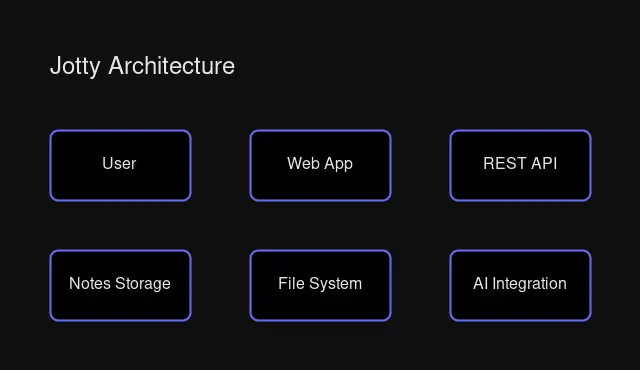 Jotty’s self-hosted architecture with API access
Key highlights:
- File-based storage: Your notes are stored as files on your server. Backup, migrate, or integrate however you want.
- REST API: Full CRUD operations on notes and checklists with simple header-based authentication.
- Multi-format support: Notes (markdown), checklists (simple todos), and task projects (kanban with time tracking).
- Privacy-first: Your data never leaves your infrastructure.
Quick Start with Docker
Getting Jotty running is straightforward with Docker:
# docker-compose.yml
version: '3.services:
  jotty:
    image: ghcr.io/ajhalili2006/jotty:latest
    ports:
      - "3000:3000"
    environment:
      - NODE_ENV=production
    volumes:
      - ./data:/app/data
    restart: unless-stopped
docker-compose up -dNavigate to your instance and create the initial admin account. That’s it—you’re running your own notes service.
The API: Your Notes, Your Code
Here’s where Jotty shines for developers and automation enthusiasts. The API uses a simple header-based authentication:
Authentication
# All requests need this header
X-API-Key: ck_your_api_key_here
You can generate an API key from your profile settings after logging in.
Working with Notes
List all notes:
curl -H "X-API-Key: ck_your_api_key" \
  http://localhost:3000/api/notes
{
"notes": [
{
"id": "uuid-here",
"title": "My Note",
"content": "# Note content\n\nMarkdown supported!",
"category": "Work",
"createdAt": "2026-03-03T00:00:00.000Z",
"updatedAt": "2026-03-03T12:00:00.000Z"
}
]
}Create a note:
curl -X POST \
  -H "X-API-Key: ck_your_api_key" \
  -H "Content-Type: application/json" \
  -d '{"title": "Daily Standup", "content": "## Today\n- Task 1\n- Task 2", "category": "Work"}' \
  http://localhost:3000/api/notes
Update a note:
curl -X PUT \
  -H "X-API-Key: ck_your_api_key" \
  -H "Content-Type: application/json" \
  -d '{"content": "## Updated content"}' \
  http://localhost:3000/api/notes/{note-id}
Delete a note:
curl -X DELETE \
  -H "X-API-Key: ck_your_api_key" \
  http://localhost:3000/api/notes/{note-id}
Categories
Organize your notes with hierarchical categories:
curl -H "X-API-Key: ck_your_api_key" \
  http://localhost:3000/api/categories
{
"categories": {
"notes": [
{"name": "Work", "path": "Work", "count": 5, "level": 0},
{"name": "Projects", "path": "Work/Projects", "count": 3, "level": 1}
]
}
}Python Integration Example
Here’s a practical example—fetching notes for an AI assistant context:
import requests
from typing import List, Dict

class JottyClient:
    def __init__(self, base_url: str, api_key: str):
        self.base_url = base_url.rstrip('/')
        self.headers = {"X-API-Key": api_key}

    def get_notes(self) -> List[Dict]:
        """Fetch all notes."""
        response = requests.get(
            f"{self.base_url}/api/notes",
            headers=self.headers
        )
        response.raise_for_status()
        return response.json()["notes"]

    def create_note(self, title: str, content: str, category: str = None) -> Dict:
        """Create a new note."""
        data = {"title": title, "content": content}
        if category:
            data["category"] = category
        response = requests.post(
            f"{self.base_url}/api/notes",
            headers={**self.headers, "Content-Type": "application/json"},
            json=data
        )
        response.raise_for_status()
        return response.json()

    def search_notes(self, query: str) -> List[Dict]:
        """Search notes by content (client-side filtering)."""
        notes = self.get_notes()
        query_lower = query.lower()
        return [
            n for n in notes
            if query_lower in n["title"].lower()
            or query_lower in n["content"].lower()
        ]

# Usage
client = JottyClient(
    base_url="http://your-jotty-server:3000",
    api_key="your_api_key_here"
)

# Get all notes for AI context
notes = client.get_notes()
for note in notes:
    print(f"## {note['title']}")
    print(note['content'])
    print("---")
Why API Access Matters for AI Assistants
If you’re building AI assistants or automation workflows, having API access to your notes is a game-changer:
- Context Injection: Pull relevant notes into AI prompts for contextual responses
- Memory Storage: Use Jotty as a persistent memory layer for AI conversations
- Automated Journaling: Create notes from scripts, webhooks, or scheduled jobs
- Cross-Platform Sync: Bridge Jotty to other tools (Obsidian, Notion, etc.)
Here’s a simple automation example—auto-capturing daily standup notes:
#!/bin/bash
# daily-standup.sh

DATE=$(date +%Y-%m-%d)
CONTENT="## Completed
- Item 1
- Item 2

## In Progress
- Current task

## Blockers
- None"

curl -X POST \
  -H "X-API-Key: $JOTTY_API_KEY" \
  -H "Content-Type: application/json" \
  -d "{\"title\": \"Standup $DATE\", \"content\": \"$CONTENT\", \"category\": \"Work\"}" \
  http://localhost:3000/api/notes
Feature Comparison
| Feature | Jotty | Obsidian | Notion | Craft |
|---|---|---|---|---|
| Self-hosted | ✅ | ❌ (local) | ❌ | ❌ |
| REST API | ✅ | ❌ | ✅ | ⚠️ Limited |
| Open Source | ⚠️ Source-available | ✅ | ❌ | ❌ |
| Mobile App | ✅ Android | ✅ iOS/Android | ✅ iOS/Android | ✅ iOS/Android |
| Encryption | ✅ XChaCha/PGP | ⚠️ Plugin | ❌ | ❌ |
| Offline PWA | ✅ | ❌ | ⚠️ Limited | ❌ |
| Price | Free | Free | Freemium | Freemium |
Security Features You’ll Appreciate
Jotty takes security seriously for a self-hosted solution:
- 2FA Support: Time-based one-time password (TOTP) authentication
- Encryption: Choose between XChaCha20-Poly1305 (passphrase) or PGP (key-based)
- Session Management: View and terminate active sessions
- API Key Regeneration: Rotate keys if compromised
- Admin Controls: Configure user permissions and access levels
Beyond Basic Notes
Jotty isn’t just for plain text:
- Excalidraw Diagrams: Sketch-style diagrams (self-hostable)
- Draw.io Integration: Visual diagram editing
- Mermaid Support: Text-based flowcharts and sequence diagrams
- Code Blocks: Syntax highlighting for 100+ languages
- Task Projects: Kanban boards with drag-and-drop and time tracking
- File Attachments: Images and files up to configurable size limit
The Privacy Advantage
When everything runs on your server:
- No telemetry: Your usage patterns aren’t tracked
- No cloud lock-in: Export anytime as JSON or filesystem copy
- GDPR compliance: You control retention and access
- Network isolation: Run on internal networks with no external access needed
Getting Started Checklist
Ready to try Jotty? Here’s your quickstart:
- Deploy with Docker Compose on your server
- Create initial admin account
- Generate an API key from Profile → API Key
- Create categories for organization
- Try the API with a simple curl command
- Set up automated backups of the
datavolume
Wrapping Up
Jotty fills a specific niche that commercial apps can’t—it gives you ownership AND programmability. The REST API makes it ideal for:
- Teams wanting self-hosted collaboration
- Developers building automation workflows
- AI projects needing persistent memory
- Privacy-focused individuals who want full control
It may not have the polish of Notion or the plugin ecosystem of Obsidian, but for those who value data sovereignty and API access, Jotty is worth a serious look.
The code is source-available on GitHub, and an Android client is available for mobile access. Your notes, your server, your rules.
Have questions about setting up Jotty or integrating it with your workflows? Drop a comment below or check out the documentation.

Comments
Powered by GitHub Discussions