Frigate NVR: The Complete Guide to AI-Powered Home Security Cameras in 2026
Build a private, AI-powered security camera system with Frigate NVR. Real-time object detection, Home Assistant integration, and zero subscription fees.
Table of Contents
- What is Frigate NVR?
- Why Frigate Matters in 2026
- Key Features and Capabilities
- Real-Time AI Object Detection
- Zone-Based Detection
- Zero False Alert Configuration
- Feature-Rich Recording
- Enrichment Features
- Seamless Home Assistant Integration
- Hardware Requirements
- Minimum vs Recommended Hardware
- AI Accelerators: The Big Change
- Camera Requirements
- Installation Guide: Docker Setup
- Step 1: Create Directory Structure
- Step 2: Create docker-compose.yml
- Step 3: Start Frigate
- Step 4: Access the Web UI
- Configuration Basics
- Achieving Near-Zero False Alerts
- Home Assistant Integration
- Step 1: Install via HACS
- Step 2: Add the Integration
- Step 3: Automation Examples
- Privacy Benefits vs Cloud Solutions
- The Cloud Camera Privacy Problem
- Cost Comparison
- Initial Hardware Costs
- 5-Year Total Cost of Ownership
- Conclusion: Is Frigate Right for You?
- Getting Started
Frigate NVR: The Complete Guide to AI-Powered Home Security Cameras
Why self-hosting your security camera system is the smartest privacy move you can make in 2026
Picture this: It’s 2 AM, and your phone buzzes with a notification from your security camera. “Motion detected.” You groggily open the app to find… a stray cat walking across your lawn. Again. For the third time tonight.
If you’ve ever used cloud-based security cameras, you know this frustration all too well. Traditional motion detection is notoriously unreliable—triggering on shadows, swaying trees, passing cars, and literally nothing at all. But what if your cameras were actually intelligent? What if they could tell the difference between a delivery driver, a stray animal, and an actual intruder?
Enter Frigate NVR—the open-source, AI-powered Network Video Recorder that’s revolutionizing how homelab enthusiasts approach home security.
What is Frigate NVR?
Frigate NVR is a self-hosted, AI-driven network video recorder that processes your security camera feeds locally using real-time object detection. Unlike cloud-based systems that upload your footage to distant servers, Frigate runs entirely on your hardware, analyzing video streams with sophisticated AI models to identify people, vehicles, pets, and other objects.
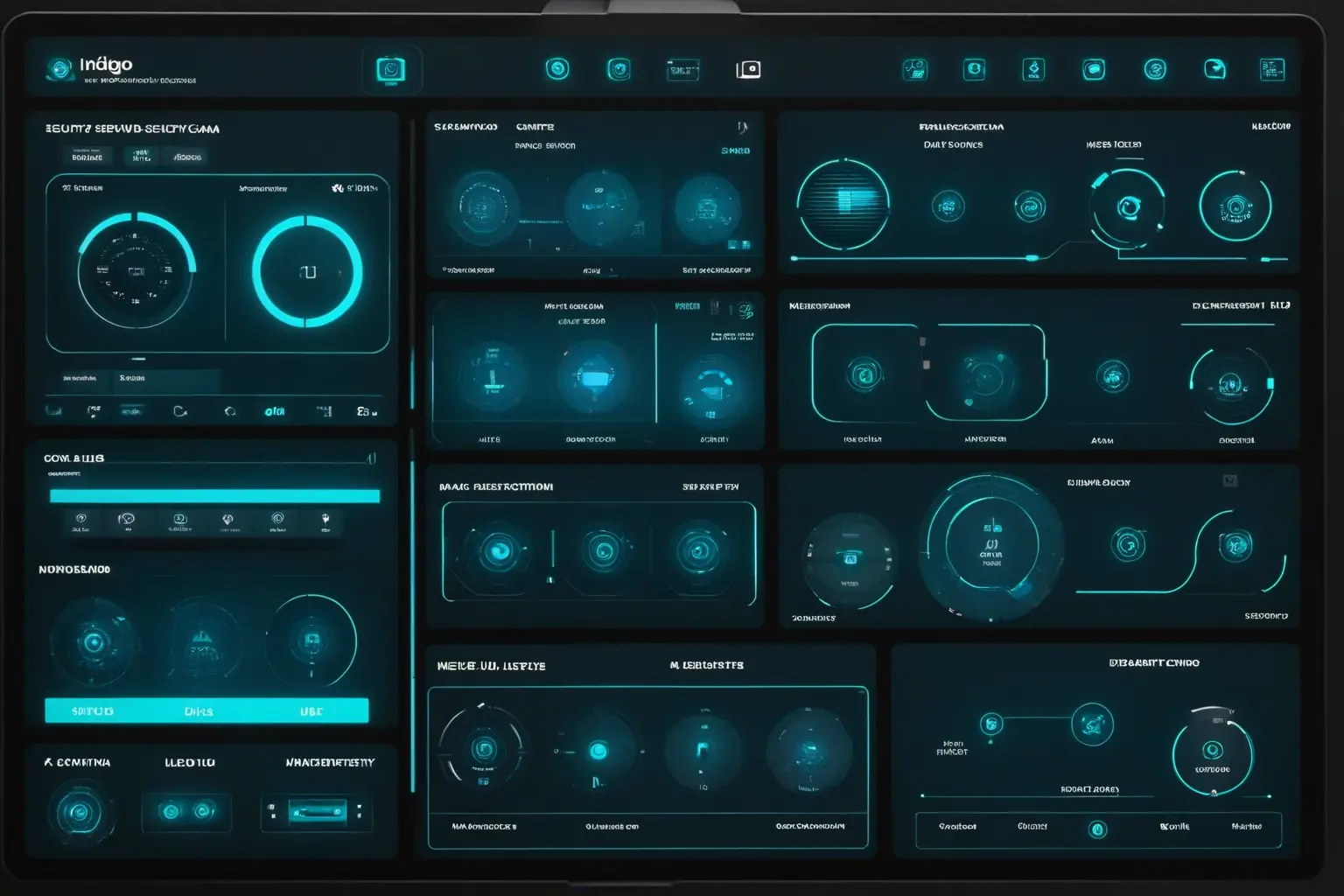
The result? Dramatically fewer false alarms, complete control over your data, and zero monthly subscription fees.
Why Frigate Matters in 2026
The home security landscape has shifted dramatically. High-profile privacy breaches at companies like Ring and Nest have exposed the uncomfortable reality of cloud-based camera systems: your footage isn’t really yours. Law enforcement partnerships mean your videos could be accessed without your knowledge. And those monthly subscription fees? They add up to hundreds of dollars over just a few years.
Frigate has matured into a production-ready solution:
- Version 0.16 (August 2025) made face recognition and license plate recognition free for all users—features that cost extra with commercial systems
- Version 0.17 added NVIDIA GPU support with CUDA Graphs and AI-generated review summaries
- The community has grown exponentially, with active support channels and extensive documentation
- Hardware options have expanded beyond the Google Coral to include NVIDIA GPUs, Intel OpenVINO, and Hailo accelerators
Key Features and Capabilities
Real-Time AI Object Detection
Frigate’s core strength is its ability to identify objects in real-time using AI models like YOLO. Out of the box, it recognizes:
- People—The most common detection target
- Vehicles—Cars, trucks, motorcycles, bicycles
- Pets—Dogs, cats
- And 70+ other object types from the COCO dataset
This isn’t simple motion detection. The AI actually understands what it’s looking at, meaning you only get alerts for things that matter.
Zone-Based Detection
Define polygonal zones around your property and configure exactly what should trigger alerts in each area:
cameras:
  front_door:
    required_zones:
      - porch
    zones:
      porch:
        coordinates: 100,400 300,400 300,600 100,600
        objects:
          - person
    detect:
      enabled: true
Want to know when a car enters your driveway but ignore cars passing by on the street? Zones make that trivial.
Zero False Alert Configuration
With proper tuning—motion masks, zone requirements, and object filters—Frigate can achieve essentially zero false alerts. The system uses multiple layers of detection:
- Motion detection filters out static scenes
- Motion masks ignore problematic areas (trees, timestamps)
- AI object detection identifies what actually moved
- Zone requirements ensure objects are in relevant areas
- Object filters set confidence thresholds
Feature-Rich Recording
- 24/7 continuous recording for complete coverage
- Event-based recording to save storage
- Hybrid mode with pre/post recording buffers
- Intelligent retention policies that automatically manage storage
Enrichment Features
Starting with version 0.16, Frigate includes powerful enrichment features at no cost:
- Face Recognition: Identify family members, frequent visitors, or unknown individuals
- License Plate Recognition (LPR): Track vehicles entering your property
- AI-Generated Summaries: Quick overviews of daily activity (v0.17+)
Seamless Home Assistant Integration
Frigate integrates beautifully with Home Assistant, enabling:
- Real-time camera feeds in your dashboard
- Binary sensors for detected objects
- Automation triggers (e.g., “turn on lights when person detected at night”)
- Mobile notifications with snapshots
Hardware Requirements
Here’s where Frigate gets interesting. Unlike cloud cameras that offload processing to someone else’s servers, you need hardware capable of running AI inference locally.
Minimum vs Recommended Hardware
| Component | Minimum | Recommended | High-End |
|---|---|---|---|
| RAM | 4GB | 8-16GB | 16GB+ |
| CPU | Modern multi-core | Intel i5/i7 with Quick Sync | Multi-core server CPU |
| Storage | SSD preferred | SSD + HDD for archives | Enterprise SSD/NVR HDD |
| Network | Gigabit | Gigabit | 10GbE for large setups |
AI Accelerators: The Big Change
Important note for 2026: The Google Coral Edge TPU, once the go-to accelerator for Frigate, is no longer recommended for new installations. While still supported, newer options offer significantly better performance.
Current Recommendations:
NVIDIA GPUs (Best Performance)
- Requirements: CUDA 12.x support, Compute Capability 5.0+ (Maxwell or newer)
- Performance: RTX 4060 achieves ~6ms detection latency with TensorRT
- Best for: Large installations (12+ cameras), users wanting cutting-edge performance
Intel OpenVINO (Best Value)
- Options: Integrated GPUs (6th Gen Intel Core+) or Intel Arc discrete GPUs
- Benefits: Low power, cost-effective, works with existing Intel systems
- Best for: Budget builds, low-power setups
Hailo-8/8L (Balanced Choice)
- PCIe-based accelerator with automatic model selection
- High performance without GPU power consumption
- Best for: New installations wanting dedicated AI hardware
Google Coral (Legacy Support)
- Still works and supported, but superseded by newer options
- Best for: Existing installations, low-power systems like Raspberry Pi
Camera Requirements
- Protocol: RTSP support required
- Video: H.264 video, AAC audio for best compatibility
- Substreams: Highly recommended—use low-res stream for detection (saves AI resources), high-res for recording
- Resolution: Detection stream at 720p-1080p; recording can be 4K
Installation Guide: Docker Setup
Frigate runs in Docker, making installation straightforward across platforms. Here’s a complete setup guide:
Step 1: Create Directory Structure
mkdir -p /opt/frigate/config
mkdir -p /opt/frigate/media
Step 2: Create docker-compose.yml
version: "3.9"
services:
  frigate:
    container_name: frigate
    privileged: true
    restart: always
    image: ghcr.io/blakeblackshear/frigate:stable
    shm_size: "1024mb"
    volumes:
      - /opt/frigate/config:/config
      - /opt/frigate/media:/media/frigate
      - /etc/localtime:/etc/localtime:ro
    ports:
      - "5000:5000"      # Web UI (unauthenticated)
      - "8971:8971"      # Web UI (authenticated)
    environment:
      - FRIGATE_RTSP_PASSWORD=your_secure_password
Step 3: Start Frigate
docker compose up -d
docker logs frigate  # Check the logs for the initial password
Step 4: Access the Web UI
Navigate to http://your-server-ip:5000 to access Frigate’s web interface. From here, you can configure cameras, tune detection settings, and view live feeds.
Configuration Basics
Frigate’s configuration lives in /config/config.yml. Here’s a practical starting point:
mqtt:
  enabled: true
  host: 192.168.1.100
  user: frigate
  password: your_mqtt_password

detectors:
  openvino:
    type: openvino
    device: GPU

cameras:
  front_door:
    enabled: true
    ffmpeg:
      inputs:
        - path: rtsp://camera-ip:554/stream1
          roles:
            - record
        - path: rtsp://camera-ip:554/stream2
          roles:
            - detect
    detect:
      enabled: true
      width: 1280
      height: 720
    record:
      enabled: true
      retain:
        days: 7
        mode: motion
    zones:
      porch:
        coordinates: 100,400 300,400 300,600 100,600
        objects:
          - person
    required_zones:
      - porch
This configuration:
- Sets up MQTT for Home Assistant integration
- Uses Intel OpenVINO for AI detection (adjust for your hardware)
- Configures a camera with dual streams (detect + record)
- Defines a zone and requires objects to enter it before triggering alerts
- Records for 7 days on motion
Achieving Near-Zero False Alerts
The key to frustration-free security? Layer your detection filters:
cameras:
  front_yard:
    motion:
      threshold: 30          # Higher = less sensitive
      contour_area: 100      # Filter small motion areas
    motion_masks:
      - coordinates: "0,0,200,0,200,100,0,100"  # Mask tree area
    objects:
      track:
        - person
        - car
      filters:
        person:
          min_score: 0.65    # Minimum AI confidence
          min_area: 1000     # Minimum object size
          threshold: 0.7     # Detection threshold
Home Assistant Integration
Frigate and Home Assistant are a perfect pairing. Here’s how to connect them:
Step 1: Install via HACS
HACS → Integrations → Search "Frigate" → Download → Restart Home AssistantStep 2: Add the Integration
Settings → Devices & Services → Add Integration → FrigateEnter your Frigate URL (typically http://192.168.1.x:5000) and authenticate.
Step 3: Automation Examples
Notify when someone’s at the door:
automation:
  - alias: "Person at Front Door"
    trigger:
      - platform: state
        entity_id: binary_sensor.front_door_person
        to: "on"
    action:
      - service: notify.mobile_app
        data:
          message: "Person detected at front door"
          data:
            image: "/api/frigate/notifications/{{ state_attr('binary_sensor.front_door_person', 'event_id') }}/thumbnail.jpg"
Turn on lights when someone approaches:
automation:
  - alias: "Front Yard Motion Lights"
    trigger:
      - platform: state
        entity_id: binary_sensor.front_yard_person
        to: "on"
    condition:
      - condition: state
        entity_id: sun.sun
        state: "below_horizon"
    action:
      - service: light.turn_on
        target:
          entity_id: light.front_porch
The Frigate HACS card provides a beautiful dashboard with live streams, event timelines, and quick scrubbing through recordings.
Privacy Benefits vs Cloud Solutions
This is where Frigate truly shines. Let’s compare:
| Aspect | Frigate (Self-Hosted) | Cloud Cameras (Ring/Nest) |
|---|---|---|
| Data location | Your hardware | Company servers |
| Third-party access | None without your consent | Law enforcement partnerships exist |
| Data breaches | Not applicable to you | Several high-profile incidents |
| Subscription required | No | Yes ($10-30/month) |
| Works offline | Yes | No |
| You control retention | Yes | Limited options |
| AI processing location | Your hardware | Their cloud |
The Cloud Camera Privacy Problem
Cloud camera companies have faced numerous privacy controversies:
- Ring’s partnerships with over 2,000 law enforcement agencies
- Reports of employees accessing customer footage
- “Deleted” footage reportedly recoverable by authorities
- Data mining clauses in privacy policies
- No end-to-end encryption by default
With Frigate, your footage stays on your network. Period. You control who sees it, how long it’s kept, and how it’s accessed. For privacy-conscious homelab enthusiasts, this alone is reason enough to make the switch.
Cost Comparison
Let’s talk money. Because self-hosting saves a lot over time.
Initial Hardware Costs
| Build | Components | Cost |
|---|---|---|
| Budget Frigate Build | Intel N100 Mini PC + 16GB RAM + 500GB SSD | ~$280-330 |
| Performance Build | Used Optiplex i5-8500 + 16GB RAM + 1TB SSD | ~$300-400 |
| Synology NAS Solution | DS220+ + 4TB HDD x2 + Camera Licenses | ~$620 |
5-Year Total Cost of Ownership
| Solution | Initial Cost | Annual Cost | 5-Year Total |
|---|---|---|---|
| Frigate DIY (budget) | $300 | $0 | $300 |
| Frigate DIY (performance) | $350 | $0 | $350 |
| Synology NAS | $620 | $0 | $620 |
| Commercial NVR Appliance | $500 | $0 | $500 |
| Ring/Nest (4 cameras) | $800 | $100 | $1,300 |
The math is clear: Cloud cameras cost 3-4x more over five years while giving you less privacy, less control, and less functionality.
Frigate’s optional Frigate+ subscription (~$5-10/month) offers enhanced AI models but is entirely optional—all core features remain free.
Conclusion: Is Frigate Right for You?
Frigate NVR is ideal for:
- Homelab enthusiasts who already have hardware or enjoy DIY projects
- Privacy advocates who want complete control over their surveillance data
- Home Assistant users wanting seamless smart home integration
- Cost-conscious homeowners tired of monthly subscription fees
- Tech-savvy users comfortable with Docker and YAML configuration
It’s not ideal for:
- Users wanting a plug-and-play, zero-configuration experience
- Those without the technical inclination to manage a server
- People who need professional monitoring services
Getting Started
If you’re ready to take control of your home security:
- Audit your existing cameras for RTSP support
- Choose appropriate hardware based on your camera count
- Follow the Docker installation guide above
- Configure zones and masks to eliminate false alerts
- Integrate with Home Assistant for automation magic
The world of self-hosted security cameras has never been more accessible. Frigate NVR delivers what cloud providers can’t: true ownership of your data, professional-grade AI detection, and freedom from monthly fees.
Your footage. Your network. Your control.
For more information, visit the official Frigate documentation or join the active community on Reddit and Discord.


Comments
Powered by GitHub Discussions