Making ComfyUI Apps from Existing Workflows
Transform your ComfyUI workflows into production-ready applications with REST APIs, custom interfaces, and scalable deployment. A practical guide for developers.
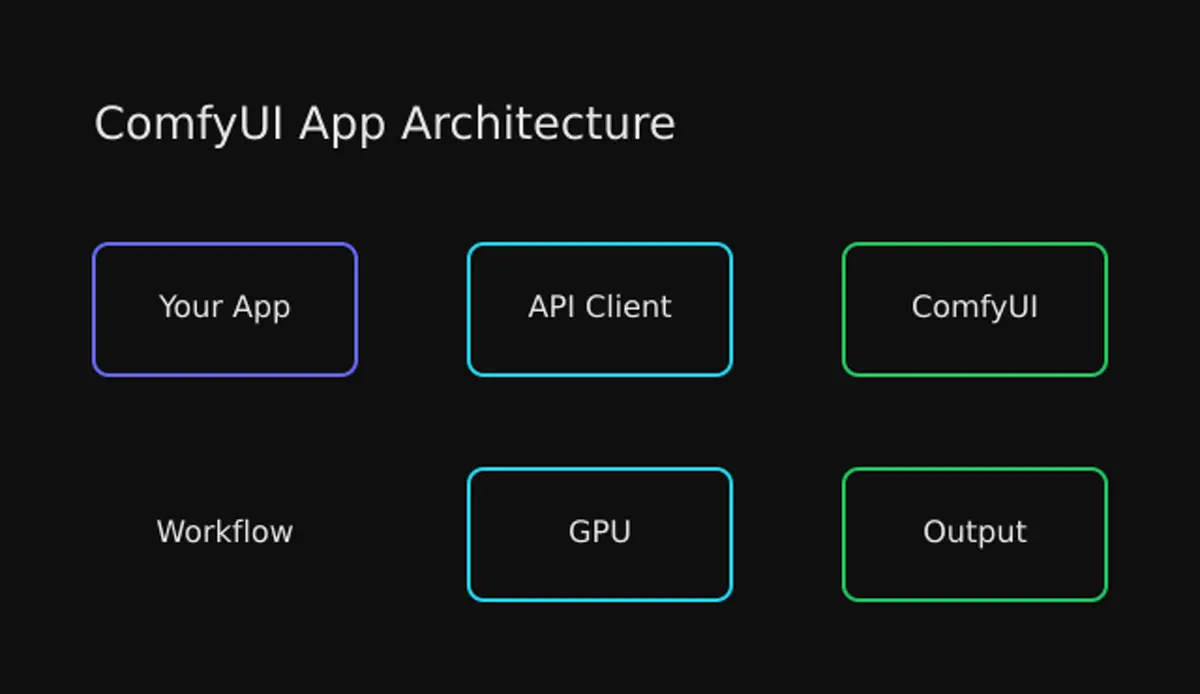
Table of Contents
- Why Convert Workflows to Apps?
- Understanding Workflow JSON
- Anatomy of a Workflow JSON
- Key Parameters to Expose
- The ComfyUI API
- Core Endpoints
- Basic Execution Flow
- Building a Python Client
- WebSocket for Real-Time Updates
- Building a Custom Interface
- Deployment Options
- Option 1: Self-Hosted
- Option 2: Docker Deployment
- Option 3: Managed Platforms
- Production Best Practices
- 1. Parameter Validation
- 2. Queue Management
- 3. Result Caching
- 4. Error Handling
- Architecture Patterns
- Microservice Integration
- Serverless Architecture
- Conclusion
Making ComfyUI Apps from Existing Workflows
You’ve spent hours crafting the perfect ComfyUI workflow. Every node is tuned, every connection optimized. Now you want to share it with the world—or better yet, integrate it into your application. Here’s how to turn that visual masterpiece into a production-ready API.
Why Convert Workflows to Apps?
ComfyUI’s visual interface is fantastic for experimentation. But when you need to:
- Integrate into existing applications — Your React app, Python backend, or mobile app
- Automate generation pipelines — Batch processing, scheduled jobs, triggered workflows
- Scale for production — Handle concurrent users, queue management, load balancing
- Create simplified interfaces — Custom UIs for non-technical users
You need programmatic access, not point-and-click. That’s where the API comes in.
Understanding Workflow JSON
Every ComfyUI workflow has an API representation. Export it by:
- Open ComfyUI Settings (gear icon)
- Enable “Dev mode”
- Click “Save (API Format)” in the menu
- Save the
workflow_api.jsonfile
Anatomy of a Workflow JSON
{
  "3": {
    "class_type": "KSampler",
    "inputs": {
      "cfg": 7,
      "steps": 20,
      "seed": 123456789,
      "sampler_name": "euler",
      "scheduler": "normal",
      "denoise": 1,
      "model": ["4", 0],
      "positive": ["6", 0],
      "negative": ["7", 0],
      "latent_image": ["5", 0]
    }
  },
  "6": {
    "class_type": "CLIPTextEncode",
    "inputs": {
      "text": "a beautiful sunset over mountains",
      "clip": ["4", 0]
    }
  }
}
Each node becomes an object keyed by its ID:
class_type— The node type (e.g.,KSampler,CLIPTextEncode)inputs— Parameters and connections to other nodes- Array references —
["4", 0]means “output slot 0 from node 4”
Key Parameters to Expose
When building an app, identify which values users should control:
| Parameter | Node | Input Name |
|---|---|---|
| Text prompt | CLIPTextEncode | text |
| Negative prompt | CLIPTextEncode (neg) | text |
| Steps | KSampler | steps |
| CFG scale | KSampler | cfg |
| Seed | KSampler | seed |
| Model | CheckpointLoader | checkpoint_name |
| Width/Height | EmptyLatentImage | width, height |
The ComfyUI API
Core Endpoints
ComfyUI exposes a REST API alongside WebSocket for real-time updates:
POST /prompt          # Queue workflow for execution
GET  /history/{id}    # Get execution results
GET  /view            # Retrieve generated images
POST /upload/image    # Upload input images
GET  /queue           # Check queue status
POST /interrupt       # Stop current execution
GET  /object_info     # List available nodes
Basic Execution Flow
- Upload inputs —
/upload/imagefor any reference images - Queue workflow — POST JSON to
/prompt, receiveprompt_id - Monitor progress — WebSocket connection for real-time status
- Retrieve outputs —
/history/{prompt_id}for results - Download images —
/view?filename=...for each output
Building a Python Client
Here’s a production-ready client that handles the full lifecycle:
import json
import uuid
import requests
import websocket
from pathlib import Path
from typing import Optional, Callable

class ComfyUIClient:
    def __init__(self, server_url: str = "http://127.0.0.1:8188"):
        self.server_url = server_url.rstrip("/")
        self.client_id = str(uuid.uuid4())
        self.ws: Optional[websocket.WebSocket] = None

    def upload_image(self, image_path: str, subfolder: str = "") -> dict:
        """Upload an image for workflow use."""
        with open(image_path, 'rb') as f:
            files = {'image': (Path(image_path).name, f)}
            data = {}
            if subfolder:
                data['subfolder'] = subfolder

            response = requests.post(
                f"{self.server_url}/upload/image",
                files=files,
                data=data
            )
        response.raise_for_status()
        return response.json()

    def queue_prompt(self, workflow: dict) -> str:
        """Queue workflow and return prompt_id."""
        payload = {
            "prompt": workflow,
            "client_id": self.client_id
        }
        response = requests.post(
            f"{self.server_url}/prompt",
            json=payload
        )
        response.raise_for_status()
        return response.json()['prompt_id']

    def get_history(self, prompt_id: str) -> dict:
        """Get execution history and outputs."""
        response = requests.get(
            f"{self.server_url}/history/{prompt_id}"
        )
        response.raise_for_status()
        return response.json()

    def get_image(self, filename: str, subfolder: str = "",
                  output_type: str = "output") -> bytes:
        """Download a generated image."""
        params = {
            'filename': filename,
            'subfolder': subfolder,
            'type': output_type
        }
        response = requests.get(
            f"{self.server_url}/view",
            params=params
        )
        response.raise_for_status()
        return response.content

    def wait_for_completion(self, prompt_id: str,
                           timeout: int = 300,
                           callback: Optional[Callable] = None) -> dict:
        """Wait for workflow to complete, return results."""
        import time
        start_time = time.time()

        while time.time() - start_time < timeout:
            history = self.get_history(prompt_id)
            if prompt_id in history:
                return history[prompt_id]

            if callback:
                callback(f"Waiting for completion...")

            time.sleep(1)

        raise TimeoutError(f"Workflow {prompt_id} did not complete within {timeout}s")

    def run_workflow(self, workflow_path: str,
                     params: Optional[dict] = None,
                     callback: Optional[Callable] = None) -> list:
        """Complete workflow execution with parameter substitution."""
        # Load workflow
        with open(workflow_path) as f:
            workflow = json.load(f)

        # Apply parameter substitutions
        if params:
            workflow = self._apply_params(workflow, params)

        # Queue and wait
        prompt_id = self.queue_prompt(workflow)
        if callback:
            callback(f"Queued workflow: {prompt_id}")

        result = self.wait_for_completion(prompt_id, callback=callback)

        # Extract outputs
        outputs = result.get('outputs', {})
        images = []

        for node_id, output in outputs.items():
            if 'images' in output:
                for img in output['images']:
                    image_data = self.get_image(
                        img['filename'],
                        img.get('subfolder', ''),
                        img.get('type', 'output')
                    )
                    images.append({
                        'node_id': node_id,
                        'filename': img['filename'],
                        'data': image_data
                    })

        return images

    def _apply_params(self, workflow: dict, params: dict) -> dict:
        """Substitute parameters in workflow."""
        for key, value in params.items():
            # Format: "node_id-inputs-param_name"
            if '-' in key:
                parts = key.split('-')
                if len(parts) >= 3 and parts[1] == 'inputs':
                    node_id = parts[0]
                    param_name = '-'.join(parts[2:])
                    if node_id in workflow:
                        workflow[node_id]['inputs'][param_name] = value
        return workflow


# Usage example
client = ComfyUIClient("http://localhost:8188")

# Run workflow with custom parameters
images = client.run_workflow(
    "workflow_api.json",
    params={
        "6-inputs-text": "A serene landscape at sunset",
        "7-inputs-text": "blurry, low quality",
        "3-inputs-steps": 30,
        "3-inputs-seed": 42
    },
    callback=lambda msg: print(msg)
)

# Save outputs
for i, img in enumerate(images):
    with open(f"output_{i}.png", 'wb') as f:
        f.write(img['data'])
WebSocket for Real-Time Updates
For production apps, monitor progress via WebSocket:
import websocket
import json
import threading

class ComfyWebsocketMonitor:
    def __init__(self, server_url: str, client_id: str):
        self.ws_url = server_url.replace("http", "ws") + f"/ws?clientId={client_id}"
        self.callbacks = {}
        self.ws = None

    def on_progress(self, callback: Callable):
        self.callbacks['progress'] = callback

    def on_complete(self, callback: Callable):
        self.callbacks['complete'] = callback

    def on_error(self, callback: Callable):
        self.callbacks['error'] = callback

    def connect(self):
        def on_message(ws, message):
            data = json.loads(message)
            msg_type = data.get('type')

            if msg_type == 'progress':
                if 'progress' in self.callbacks:
                    self.callbacks['progress'](
                        data['data']['value'],
                        data['data']['max']
                    )
            elif msg_type == 'executing':
                if data['data']['node'] is None:
                    if 'complete' in self.callbacks:
                        self.callbacks['complete']()
            elif msg_type == 'execution_error':
                if 'error' in self.callbacks:
                    self.callbacks['error'](data['data'])

        self.ws = websocket.WebSocketApp(
            self.ws_url,
            on_message=on_message,
            on_error=lambda ws, err: self.callbacks.get('error', print)(err)
        )

        thread = threading.Thread(target=self.ws.run_forever)
        thread.daemon = True
        thread.start()

    def disconnect(self):
        if self.ws:
            self.ws.close()


# Usage
monitor = ComfyWebsocketMonitor("http://localhost:8188", client.client_id)
monitor.on_progress(lambda current, total: print(f"Progress: {current}/{total}"))
monitor.on_complete(lambda: print("Done!"))
monitor.connect()
Building a Custom Interface
Here’s a minimal React component that exposes workflow parameters:
import { useState } from 'react';

interface WorkflowParams {
  prompt: string;
  negative_prompt: string;
  steps: number;
  cfg: number;
  seed: number;
}

export function WorkflowRunner() {
  const [params, setParams] = useState<WorkflowParams>({
    prompt: '',
    negative_prompt: 'blurry, low quality',
    steps: 20,
    cfg: 7,
    seed: Math.floor(Math.random() * 1000000)
  });
  const [generating, setGenerating] = useState(false);
  const [image, setImage] = useState<string | null>(null);

  const generate = async () => {
    setGenerating(true);

    try {
      // Queue workflow
      const response = await fetch('http://localhost:8188/prompt', {
        method: 'POST',
        headers: { 'Content-Type': 'application/json' },
        body: JSON.stringify({
          prompt: buildWorkflow(params),
          client_id: crypto.randomUUID()
        })
      });

      const { prompt_id } = await response.json();

      // Poll for completion (or use WebSocket)
      const result = await pollForResult(prompt_id);

      // Set image URL
      setImage(`http://localhost:8188/view?filename=${result.filename}`);
    } finally {
      setGenerating(false);
    }
  };

  return (
    <div className="workflow-runner">
      <textarea
        placeholder="Enter your prompt..."
        value={params.prompt}
        onChange={(e) => setParams({...params, prompt: e.target.value})}
      />

      <div className="controls">
        <label>
          Steps: {params.steps}
          <input
            type="range"
            min="5" max="50"
            value={params.steps}
            onChange={(e) => setParams({...params, steps: +e.target.value})}
          />
        </label>

        <label>
          CFG: {params.cfg}
          <input
            type="range"
            min="1" max="20"
            value={params.cfg}
            onChange={(e) => setParams({...params, cfg: +e.target.value})}
          />
        </label>
      </div>

      <button onClick={generate} disabled={generating}>
        {generating ? 'Generating...' : 'Generate'}
      </button>

      {image && <img src={image} alt="Generated" />}
    </div>
  );
}

function buildWorkflow(params: WorkflowParams): object {
  return {
    "3": {
      "class_type": "KSampler",
      "inputs": {
        "steps": params.steps,
        "cfg": params.cfg,
        "seed": params.seed,
        // ... rest of KSampler params
      }
    },
    "6": {
      "class_type": "CLIPTextEncode",
      "inputs": {
        "text": params.prompt,
        // ... clip connection
      }
    },
    "7": {
      "class_type": "CLIPTextEncode",
      "inputs": {
        "text": params.negative_prompt,
        // ... clip connection
      }
    }
    // ... remaining nodes
  };
}
Deployment Options
Option 1: Self-Hosted
The simplest approach—run ComfyUI on your own infrastructure:
# Clone and run
git clone https://github.com/comfyanonymous/ComfyUI.git
cd ComfyUI
pip install -r requirements.txt
python main.py --listen 0.0.0.0 --port 8188Pros: Full control, no per-use costs Cons: You manage scaling, uptime, GPU resources
Option 2: Docker Deployment
Containerize for consistent deployments:
FROM pytorch/pytorch:2.1.0-cuda12.1-cudnn8-runtime

RUN apt-get update && apt-get install -y git
RUN git clone https://github.com/comfyanonymous/ComfyUI.git /comfyui
WORKDIR /comfyui

RUN pip install -r requirements.txt

# Mount your workflows and models
VOLUME /comfyui/models
VOLUME /comfyui/workflows

EXPOSE 8188
CMD ["python", "main.py", "--listen", "0.0.0.0"]
Option 3: Managed Platforms
For production without infrastructure headaches:
| Platform | Features | Best For |
|---|---|---|
| ViewComfy | One-click deploy, instant API | Rapid prototyping |
| Comfy Deploy | Versioning, team features | Production teams |
| BentoML | Open source, cloud-native | Full control |
| RunPod | GPU marketplace, templates | Cost flexibility |
Production Best Practices
1. Parameter Validation
def validate_params(params: dict) -> dict:
    """Sanitize and validate workflow parameters."""
    errors = []

    # Validate prompt
    if not params.get('prompt'):
        errors.append("Prompt is required")
    elif len(params['prompt']) > 1000:
        errors.append("Prompt too long (max 1000 chars)")

    # Validate numeric ranges
    steps = params.get('steps', 20)
    if not 1 <= steps <= 100:
        errors.append("Steps must be between 1 and 100")

    cfg = params.get('cfg', 7)
    if not 1 <= cfg <= 20:
        errors.append("CFG must be between 1 and 20")

    # Sanitize seed
    params['seed'] = params.get('seed', random.randint(0, 2**31 - 1))
    params['seed'] = max(0, min(params['seed'], 2**31 - 1))

    if errors:
        raise ValueError("; ".join(errors))

    return params
2. Queue Management
import redis
from queue import Queue
from threading import Thread

class ComfyQueue:
    def __init__(self, max_concurrent: int = 1):
        self.queue = Queue()
        self.active = 0
        self.max_concurrent = max_concurrent
        self.lock = threading.Lock()

    def submit(self, workflow: dict, params: dict) -> str:
        """Queue workflow, return job ID."""
        job_id = str(uuid.uuid4())
        self.queue.put((job_id, workflow, params))

        # Start worker if capacity available
        with self.lock:
            if self.active < self.max_concurrent:
                self._start_worker()

        return job_id

    def get_status(self, job_id: str) -> dict:
        """Check job status."""
        # Query from Redis/database
        pass
3. Result Caching
import hashlib

def cache_key(workflow: dict, params: dict) -> str:
    """Generate cache key from workflow + params."""
    canonical = json.dumps(workflow, sort_keys=True) + json.dumps(params, sort_keys=True)
    return hashlib.sha256(canonical.encode()).hexdigest()

async def get_or_generate(workflow: dict, params: dict) -> bytes:
    """Return cached result or generate new."""
    key = cache_key(workflow, params)

    # Check cache
    cached = await redis.get(f"result:{key}")
    if cached:
        return cached

    # Generate
    result = await client.run_workflow(workflow, params)

    # Cache for 24 hours
    await redis.setex(f"result:{key}", 86400, result)

    return result
4. Error Handling
class ComfyError(Exception):
    """Base exception for ComfyUI errors."""
    pass

class ModelNotFoundError(ComfyError):
    """Requested model not available."""
    pass

class OutOfMemoryError(ComfyError):
    """GPU memory exhausted."""
    pass

class QueueFullError(ComfyError):
    """Generation queue at capacity."""
    pass

async def safe_generate(workflow: dict, params: dict) -> bytes:
    """Generate with proper error handling."""
    try:
        return await get_or_generate(workflow, params)
    except requests.HTTPError as e:
        if e.response.status_code == 500:
            if "out of memory" in e.response.text.lower():
                raise OutOfMemoryError("GPU memory exhausted")
        raise
    except Timeout:
        raise QueueFullError("Generation timed out - queue may be full")
Architecture Patterns
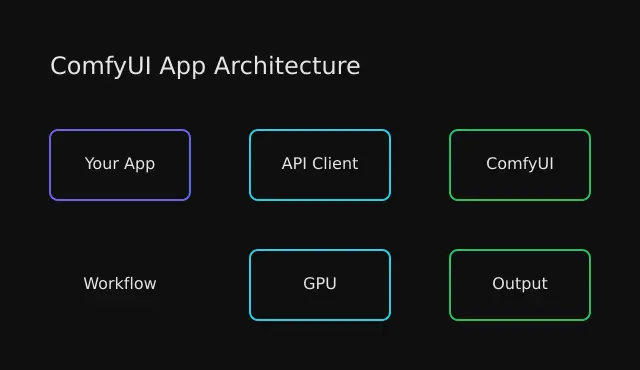
Microservice Integration
┌─────────────┐     ┌──────────────┐     ┌──────────────┐
│   Frontend  │────▶│ API Gateway  │────▶│ ComfyUI Pool │
└─────────────┘     └──────────────┘     └──────────────┘
                           │                     │
                           ▼                     ▼
                    ┌──────────────┐     ┌──────────────┐
                    │   Redis      │     │ Model Storage│
                    │   (Queue)    │     │   (S3/GCS)   │
                    └──────────────┘     └──────────────┘
Serverless Architecture
┌─────────────┐     ┌──────────────┐     ┌──────────────┐
│   Client    │────▶│  API Gateway │────▶│   Lambda     │
└─────────────┘     └──────────────┘     │  + ComfyUI   │
                                          └──────────────┘
                                                 │
                                                 ▼
                                          ┌──────────────┐
                                          │Object Storage│
                                          │  (Results)   │
                                          └──────────────┘
Conclusion
Converting ComfyUI workflows to apps is straightforward once you understand the API structure:
- Export your workflow in API format
- Identify the parameters users should control
- Build a client that queues workflows and retrieves results
- Deploy with appropriate infrastructure for your scale
The result? Your carefully crafted generation pipeline becomes accessible to anyone—from non-technical users through a clean UI, to developers through your API.
Start with a simple Python client, add a web interface, and scale as needed. The ComfyUI API gives you all the primitives—you decide how to expose them.

Comments
Powered by GitHub Discussions