10GbE in 2026: The Tipping Point for Homelab Networking
Cheap 10GbE NICs and switches are finally here. The Realtek RTL8127 at $40 makes 10-gigabit networking accessible for every homelab.
Table of Contents
- What Changed? The Perfect Storm
- The Game-Changer: Realtek RTL8127
- NIC Comparison: The Three Contenders
- Realtek RTL8127 — Budget Champion
- Marvell AQC113 — The Safe Bet
- Intel E610 — For the Enterprise-Minded
- Switch Recommendations by Budget
- Ultra-Budget ($70-110)
- Best Value for Homelab ($70-215)
- Managed + PoE for the Win ($250-420)
- Need More Ports?
- Want Native 10Gbase-T (Not SFP+)?
- Buying Guide by Budget Tier
- Level 1: Dip Your Toe In ($100-150)
- Level 2: The Sweet Spot ($300-500)
- Level 3: No Compromises ($500+)
- Practical Use Cases
- NAS Connectivity
- Virtualization Hosts
- Media Servers (Plex/Jellyfin)
- Developer Workstations
- Setup Tips
- Cabling
- PCIe Slot Selection
- Driver Notes
- Cooling
- PoE Considerations
- Future Outlook: What’s Next?
- 10GbE Is the New Normal
- 25GbE on the Horizon
- USB4 10GbE Adapters
- The Bottom Line
For years, 10-gigabit networking was the exclusive domain of enterprise IT. You needed deep pockets, loud equipment, and a willingness to deal with power-hungry NICs that could double as space heaters. If you wanted 10GbE in your homelab, you were looking at $200+ for a used Intel X520 and praying your electric bill wouldn’t notice.
That era is over.
In 2026, we’ve hit a genuine tipping point. The combination of new controllers from Realtek and Marvell, collapsing switch prices, and mainstream multi-gig adoption means 10GbE is finally—finally—affordable for the average homelabber. Let’s break down what changed, what to buy, and whether now is the time for you to upgrade.
What Changed? The Perfect Storm
Three things needed to happen for 10GbE to go mainstream:
- Cheaper silicon — The controller chips themselves had to drop from $50-80 to under $15
- Lower power — Nobody wants a 10W NIC in a fanless build
- Flexible slot requirements — PCIe x4 and x8 cards don’t fit in everyone’s system
All three happened in the last 18 months. Realtek arrived with the RTL8127, a controller that runs on PCIe Gen4 x1, sips under 4 watts, and costs roughly $10-15 at the chip level. That translates to sub-$50 retail NICs that fit in virtually any motherboard with a spare x1 slot.
The switch market followed. The same cheap 2.5GbE switches that flooded Amazon in 2024-2025 are now shipping with SFP+ uplinks, giving you a 10GbE backbone for under $100.
The Game-Changer: Realtek RTL8127
The Realtek RTL8127 is the catalyst for 2026’s 10GbE revolution. Here’s why it matters:
| Spec | RTL8127 Details |
|---|---|
| PCIe Interface | Gen4 x1 — fits in any x1 slot |
| Power Draw | Under 2W (chip), under 4W (board) |
| Speeds | 10Gbase-T, 5GbE, 2.5GbE, 1GbE |
| Retail Price | $40-50 on Amazon, even cheaper on AliExpress |
| Cooling | Small heatsink, no fan needed |
The x1 interface is the killer feature. Previous 10GbE controllers needed x4 bandwidth—fine for servers, useless for consumer boards with limited lanes. PCIe Gen4 changed that equation. A Gen4 x1 link delivers 2GB/s, more than enough headroom for 10GbE’s ~1.2GB/s real-world throughput.
Realtek dominated 1GbE with sub-$1 NIC chips for years. Their approach to 10GbE is the same: charge “a bit more” for significantly faster speeds. The result is that 10Gbase-T adapters are now cheaper than 2.5GbE cards were in 2023.
NIC Comparison: The Three Contenders
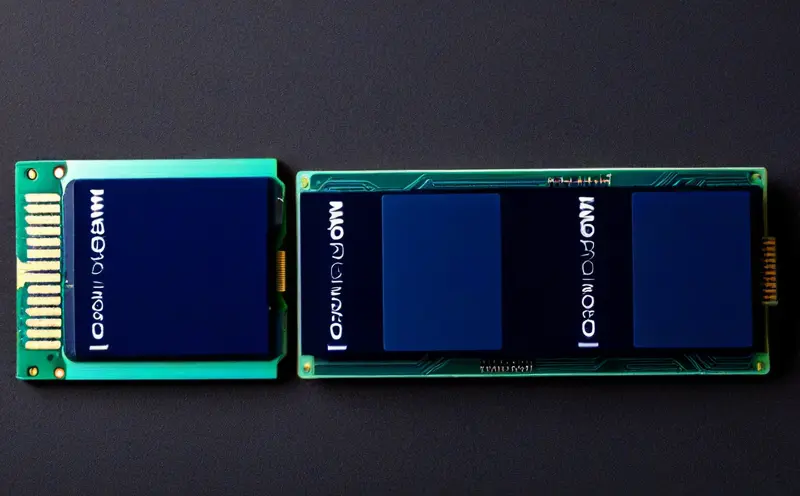
If you’re shopping for a 10GbE NIC in 2026, you’re choosing between three main options:
| Feature | Realtek RTL8127 | Marvell AQC113 | Intel E610 |
|---|---|---|---|
| Price | $40-50 | $70-75 | $150-200+ |
| PCIe | Gen4 x1 | x4 (x1 electrically OK) | x4+ |
| Power | Sub-4W | 4-5W | Variable, improved |
| Maturity | New (2025-26) | Proven (3+ years) | Early launch |
| Multi-Gig | 10G/5G/2.5G/1G | 10G/5G/2.5G/1G | Depends on model |
| Best For | Budget builds, tight slots | Reliability on a budget | Servers, enterprise |
Realtek RTL8127 — Budget Champion
Buy if: You want the cheapest path to 10GbE, have limited PCIe slots, or care about power efficiency.
The RTL8127 is straightforward: it works, it’s cheap, and it doesn’t need a fan. Ideal for NAS builds, mini PCs, and any system where you’d rather not deal with thermal management. Brands vary (you’ll see plenty of generics on Amazon and AliExpress), but the controller is the same.
Marvell AQC113 — The Safe Bet
Buy if: You want proven reliability and don’t mind spending $20-30 more.
Marvell acquired Aquantia a few years back, and the AQC113 carries that lineage. It’s been integrated into Lenovo workstations, Mac Minis, and TerraMaster NAS units. Driver support is mature across Windows and Linux (kernel 5.10+). If something goes wrong, you’ll find forum posts from 2024 that already solved your problem.
ServeTheHome’s advice: “Get whichever is cheapest and in-stock.” The QFly and NICGIGA brands are both solid AQC113 implementations.
Intel E610 — For the Enterprise-Minded
Buy if: You’re building a server, need Intel drivers for compatibility, or want dual/quad-port options.
The E610 is Intel’s attempt to stay relevant in 10GbE while reducing the power consumption of their older X550 series. It works—Intel claims up to 50% lower TDP—but the early launch means some bugs are still being worked out. One vendor at CES 2026 publicly switched from E610 to Realtek, citing “cost and early bugs.”
If you want Intel reliability today, the X710-T2L is the better choice. The “L” suffix matters: it supports multi-gig speeds (2.5GbE, 5GbE). The non-L X710-T4 doesn’t, which is a common gotcha.
Warning on used Intel gear: The X520 and X540 are cheap on eBay ($30-80), but they lack 2.5GbE/5GbE support, run hot (8-10W+), and need specific SFP+ modules with proper cooling. For a homelab, they’re often more trouble than they’re worth.
Switch Recommendations by Budget
The switch market has imploded in the best way. Here’s what you can get at each price point:
Ultra-Budget ($70-110)
If you just need a few 10GbE links and don’t care about management, the budget options are genuinely impressive:
| Model | Ports | Price | Power |
|---|---|---|---|
| keepLink KP9000-9XH-X | 8× 2.5G + 1× SFP+ | $69 | 2.7W |
| Davuaz Da-K9801W | 8× 2.5G + 1× SFP+ | $85 | 1.6W |
| Sodola | 8× 2.5G + 1× SFP+ | $108 | 1.6W |
These are unmanaged switches with one 10GbE SFP+ uplink. Perfect for connecting your NAS and main workstation to the rest of your 2.5GbE network.
Best Value for Homelab ($70-215)
If you want management capabilities:
| Model | Ports | Price | Managed |
|---|---|---|---|
| XikeStor SKS1200-8GPY2XF | 8× 2.5G + 2× SFP+ | $72 | Yes (web UI) |
| TRENDnet TEG-3102WS | 8× 2.5G + 2× SFP+ | $215 | Yes |
The XikeStor at $72 is absurdly good value. Fanless, managed, dual SFP+ uplinks, and under 3W power draw.
Managed + PoE for the Win ($250-420)
If you’re running access points, cameras, or other PoE devices, these managed switches with power budgets are the sweet spot:
| Model | Ports | PoE Budget | Price |
|---|---|---|---|
| Zyxel XMG1915-10EP | 8× 2.5G + 2× SFP+ | 130W (PoE++) | ~$250 |
| TP-Link SG2210XMP-M2 | 8× 2.5G + 2× SFP+ | 130W (PoE+) | ~$350 |
Both are fanless and fully managed. The Zyxel supports PoE++ (60W per port), which is overkill for most but useful if you’re powering high-wattage devices. The TP-Link integrates with their Omada controller if you want unified management.
Need More Ports?
The TP-Link TL-SH1832 offers 24× 2.5GbE + 8× SFP+ for $460-750, depending on the seller. It’s a lot of switch for a serious home network.
Want Native 10Gbase-T (Not SFP+)?
If you prefer copper ports over fiber/DAC:
| Model | Ports | Price |
|---|---|---|
| QNAP QSW-2104-2T-A | 4× 2.5G + 2× 10Gbase-T | $149 |
| TRENDnet TEG-S762 | 4× 2.5G + 2× 10Gbase-T | $190 |
These are compact switches with built-in RJ45 10-gig ports—no SFP+ modules needed.
Buying Guide by Budget Tier
Level 1: Dip Your Toe In ($100-150)
The setup: One 10GbE link between your main machine and NAS.
What to buy:
- RTL8127 or AQC113 NIC: $50-75
- keepLink or Davuaz switch with SFP+: $70-85
- One SFP+ DAC cable: $15-20
Total: ~$135-180
You’ll connect your NAS and workstation to the SFP+ port via a DAC cable, with everything else on 2.5GbE. It’s the cheapest way to experience 10-gig speeds for large file transfers.
Level 2: The Sweet Spot ($300-500)
The setup: Multiple 10GbE devices, managed switch, proper cabling.
What to buy:
- RTL8127 or AQC113 NICs for each device: $50-75 each
- XikeStor or Zyxel managed switch: $72-250
- SFP+ DAC cables or fiber modules: $15-40 each
- Cat6a cables for 10Gbase-T runs: $10-20 each
Total: ~$300-500 depending on device count
This is where most homelabbers should aim. You get management features, redundant uplink possibilities, and room to expand.
Level 3: No Compromises ($500+)
The setup: Enterprise reliability, PoE power budget, unified management.
What to buy:
- Intel X710-T2L or dual RTL8127/AQC113 NICs: $100-300
- TP-Link SG2210XMP-M2 or TL-SG3210XHP-M2: $350-420
- Quality fiber SFP+ modules for longer runs: $30-50 each
- Cable certifier or tester: $50-100
Total: $500-800+
You’re paying for reliability, PoE for APs/cameras, and integration with a controller platform. Worth it if your homelab is also your production network.
Practical Use Cases
NAS Connectivity
This is the killer app for 10GbE in the homelab. With NVMe drives in your NAS, you’re hitting 1GB/s+ sequential reads. That saturates 2.5GbE but leaves headroom on 10GbE.
Real-world impact: A 50GB backup that takes ~3 minutes on 2.5GbE completes in ~45 seconds on 10GbE. For daily backups, that adds up.
Recommendation: Put your NAS on SFP+ with a DAC cable to your main workstation. Use Cat6a for 10Gbase-T runs to other devices.
Virtualization Hosts
If you’re running Proxmox, ESXi, or KVM with shared storage (iSCSI/NFS), 10GbE is transformative:
- Live migrations complete faster
- VM disk I/O doesn’t bottleneck
- Multiple VMs can access storage simultaneously without contention
For virtualization, consider dual-port NICs. You can use one port for storage traffic and another for VM network traffic, or set up redundant paths.
Media Servers (Plex/Jellyfin)
Direct-playing 4K HDR content requires 50-100Mbps per stream. On 1GbE, you can handle ~10 simultaneous streams. On 10GbE, you’re theoretically unlimited by network bandwidth—your bottleneck shifts to disk I/O and CPU.
More importantly, if your media server pulls content from a NAS, 10GbE eliminates that bottleneck entirely.
Developer Workstations
Network-bound operations become local-speed:
- Git clones over network storage
- Docker image pulls from a local registry
- VS Code Remote development
- CI/CD pipelines targeting network storage
If you work with large codebases or container images, 10GbE makes network storage feel like local disk.
Setup Tips
Cabling
- Cat6a or Cat7 for 10Gbase-T copper runs. Cat6 works for short distances (under 30m) but Cat6a is the proper spec.
- DAC cables (Direct Attach Copper) for SFP+ connections under 10m. They’re cheap ($15-25), have no compatibility issues, and don’t require transceivers.
- Fiber SFP+ modules for longer runs or electrical isolation. Multimode OM3/OM4 fiber will do 10GbE at 300m+.
PCIe Slot Selection
The RTL8127 works in Gen4 x1 slots at full speed. For older Gen3 slots, you might see a slight penalty, but 10GbE’s ~1.2GB/s real-world throughput leaves headroom even at Gen3 x1 speeds.
AQC113 cards have x4 connectors but work fine in x1 slots electrically. You lose some queue depth, but throughput is unaffected.
Driver Notes
- Linux: RTL8127 needs kernel 6.6+. AQC113 is supported in 5.10+. Intel X710 needs the ixgbe driver.
- Windows: All three have plug-and-play drivers via Windows Update. Download the latest from the vendor’s site for best reliability.
- Proxmox/ESXi: AQC113 and Intel X710 have out-of-box support. RTL8127 may need a driver update on older versions.
Cooling
The RTL8127 and AQC113 run cool enough with minimal heatsinks that airflow from your case fans is sufficient. No need for active cooling unless you’re in a fanless chassis.
That said, if you’re seeing thermal throttling (random speed drops to 5GbE or 2.5GbE), add a small 40mm fan or improve case airflow.
PoE Considerations
If your switch has PoE and you’re using DAC cables for SFP+ connections, remember that SFP+ ports typically don’t supply PoE—you’ll need a PoE injector or a switch with PoE on copper ports.
Future Outlook: What’s Next?
10GbE Is the New Normal
By 2027-2028, expect 10GbE to appear on mid-range consumer motherboards, just as 2.5GbE did in 2024-2025. The RTL8127’s success proves there’s demand, and Realtek’s integration into devices like the Minisforum MS-R1 shows where this is going.
25GbE on the Horizon
For homelabbers who outgrow 10GbE, 25GbE is the next frontier. It’s currently $300-500+ per NIC, firmly enterprise territory. But SFP28 transceivers are getting cheaper, and NVIDIA/Mellanox are pushing the technology hard.
Realistic timeline:
- 2026-2027: 10GbE standard on enthusiast motherboards
- 2027-2028: 2.5GbE replaces 1GbE entirely in new products
- 2028+: Early adopters move to 25GbE; 10GbE becomes mainstream
Intel’s E830 series is already targeting 25GbE through 200GbE for datacenters. The E610 was their 10GbE play for the current transition period.
USB4 10GbE Adapters
Keep an eye on USB4 adapters using the RTL8157 or similar controllers. USB4’s 40Gbps bandwidth easily handles 10GbE, and we’re starting to see these trickle onto the market at $80-150. Perfect for laptops or systems without PCIe slots.
The Bottom Line
2026 is the year 10GbE becomes accessible to every homelabber. The Realtek RTL8127 at $40-50 is the enabling technology—a controller that fits in any x1 slot, sips power, and delivers real 10-gigabit speeds.
Combined with fanless managed switches under $250 and SFP+ switches under $100, there’s no longer a reason to wait. Whether you’re building a NAS, running VMs, or just tired of watching progress bars, 10GbE is finally in reach.
My recommendation: Start with an RTL8127 or AQC113 NIC and an XikeStor or Zyxel switch. For under $200, you’ll experience the difference 10-gig makes. Once you do, you’ll wonder how you ever tolerated 1GbE.
Sources: ServeTheHome, LinuxBlog.io, various vendor specifications and community testing.


Comments
Powered by GitHub Discussions