Audiobookshelf: Your Personal Audiobook & Podcast Server
A complete guide to Audiobookshelf, the self-hosted audiobook and podcast server with mobile apps, offline listening, and multi-user support.
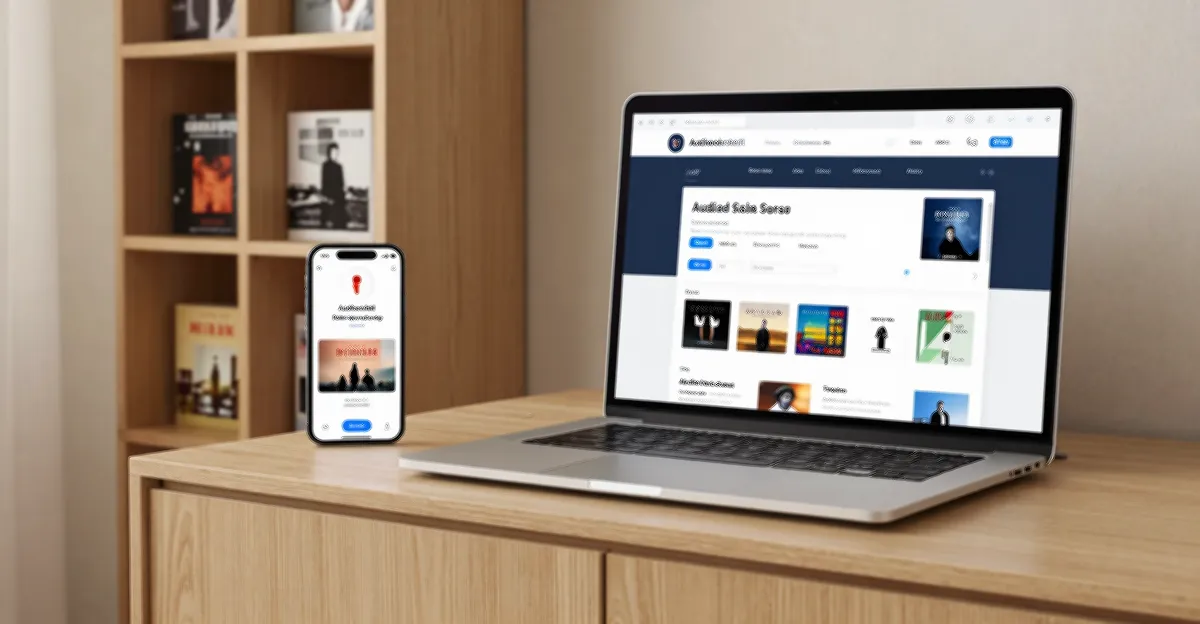
Table of Contents
- Why Self-Host Your Audiobooks?
- Own Your Library
- Privacy First
- Multi-User Support
- Key Features
- Quick Start Guide
- Docker Installation (Recommended)
- Docker Compose
- Setting Up Your Library
- File Organization Tips
- Podcast Management
- Mobile App Features
- Comparison to Alternatives
- Advanced Features
- Backup & Migration
- API Access
- Notifications
- Conclusion
Audiobookshelf: Your Personal Audiobook & Podcast Server
Audiobookshelf is a self-hosted audiobook and podcast server that puts your audio library under your control. With beautiful mobile apps, offline listening, and multi-user support, it’s the perfect alternative to proprietary audiobook services.
Why Self-Host Your Audiobooks?
Own Your Library
Unlike Audible or other DRM-locked platforms, Audiobookshelf stores your files in standard formats (MP3, M4B, etc.) that you actually own. No platform lock-in, no losing access if a service shuts down.
Privacy First
Your listening habits stay private. No corporation tracking what you listen to, when you listen, or building profiles about your interests.
Multi-User Support
Share your library with family members while keeping individual progress, bookmarks, and preferences separate.
Key Features
| Feature | Description |
|---|---|
| Web Player | Beautiful browser-based player with playback speed, sleep timer |
| Mobile Apps | Native iOS and Android apps with offline sync |
| Podcast Support | Subscribe to and manage podcasts alongside audiobooks |
| Progress Sync | Seamless cross-device listening progress |
| Bookmarking | Save clips and notes at specific timestamps |
| Chapters | Automatic chapter detection and navigation |
| Multi-User | Separate accounts with individual libraries and progress |
| Audiobook Discovery | Metadata fetching from OpenLibrary, Google Books, etc. |
Quick Start Guide
Docker Installation (Recommended)
docker run -d \
  -p 13378:80 \
  -v /path/to/audiobooks:/audiobooks \
  -v /path/to/podcasts:/podcasts \
  -v /path/to/config:/config \
  -v /path/to/metadata:/metadata \
  --name audiobookshelf \
  ghcr.io/advplyr/audiobookshelf
Docker Compose
version: '3'
services:
  audiobookshelf:
    image: ghcr.io/advplyr/audiobookshelf
    ports:
      - 13378:80
    volumes:
      - /path/to/audiobooks:/audiobooks
      - /path/to/podcasts:/podcasts
      - ./config:/config
      - ./metadata:/metadata
    restart: unless-stopped
Setting Up Your Library
-
Create library folders:
/audiobooks/ ├── Author Name/ │ └── Book Title/ │ └── *.mp3 or *.m4b -
Scan for books:
- Click “Scan” in the web interface
- Audiobookshelf automatically fetches metadata
-
Download mobile apps:
File Organization Tips
Best practices for your library:
- Use folders:
/Author/Book Title/ - Include cover.jpg in each book folder
- Use chapter markers for long books
- Keep podcast episodes in a separate library
Podcast Management
Audiobookshelf isn’t just for audiobooks—it handles podcasts too:
- RSS subscriptions - Add any podcast RSS feed
- Auto-download - New episodes download automatically
- Episode management - Keep or delete episodes as needed
- Same sync - Progress syncs across devices like audiobooks
Mobile App Features
The mobile apps are where Audiobookshelf really shines:
- Offline listening - Download books for plane rides or commutes
- Car mode - Simplified controls for safe driving
- Sleep timer - Fall asleep to your book
- Playback speed - 0.5x to 3x speed adjustment
- Chapter navigation - Jump between chapters easily
Comparison to Alternatives
| Feature | Audiobookshelf | Plex | Emby | Jellyfin |
|---|---|---|---|---|
| Audiobook-specific features | ✅ Excellent | ⚠️ Basic | ⚠️ Basic | ⚠️ Basic |
| Mobile apps | ✅ Native | ✅ Yes | ✅ Yes | ✅ Yes |
| Offline sync | ✅ Yes | ✅ Yes | ✅ Yes | ✅ Yes |
| Podcast support | ✅ Yes | ✅ Yes | ✅ Yes | ✅ Yes |
| Open source | ✅ Yes | ❌ No | ❌ No | ✅ Yes |
Advanced Features
Backup & Migration
Audiobookshelf stores everything in standard formats, making backups simple:
rsync -av /path/to/audiobooks /backup/location/API Access
The server exposes a REST API for custom integrations and automation.
Notifications
Set up webhooks for download completion, new episodes, etc.
Conclusion
Audiobookshelf brings the convenience of cloud audiobook services to your homelab. With excellent mobile apps, robust sync, and true ownership of your files, it’s the ideal solution for audiobook enthusiasts who value privacy and control.
Ready to start? Deploy it today and migrate your audiobook collection away from proprietary platforms.


Comments
Powered by GitHub Discussions